dsh-emacsDeepSeek Harness plugin
An Emacs client for DeepSeek Harness
- Stars
- 16
- Forks
- 2
- License
- GPL-3.0
- Last commit
- Sep 3, 2026
Overview
An Emacs client for DeepSeek Harness
Original README
Cached from the project repository on Sep 3, 2026. This is source content, separate from the Agents.md review above.
dsh-emacs — An Emacs client for DeepSeek Harness
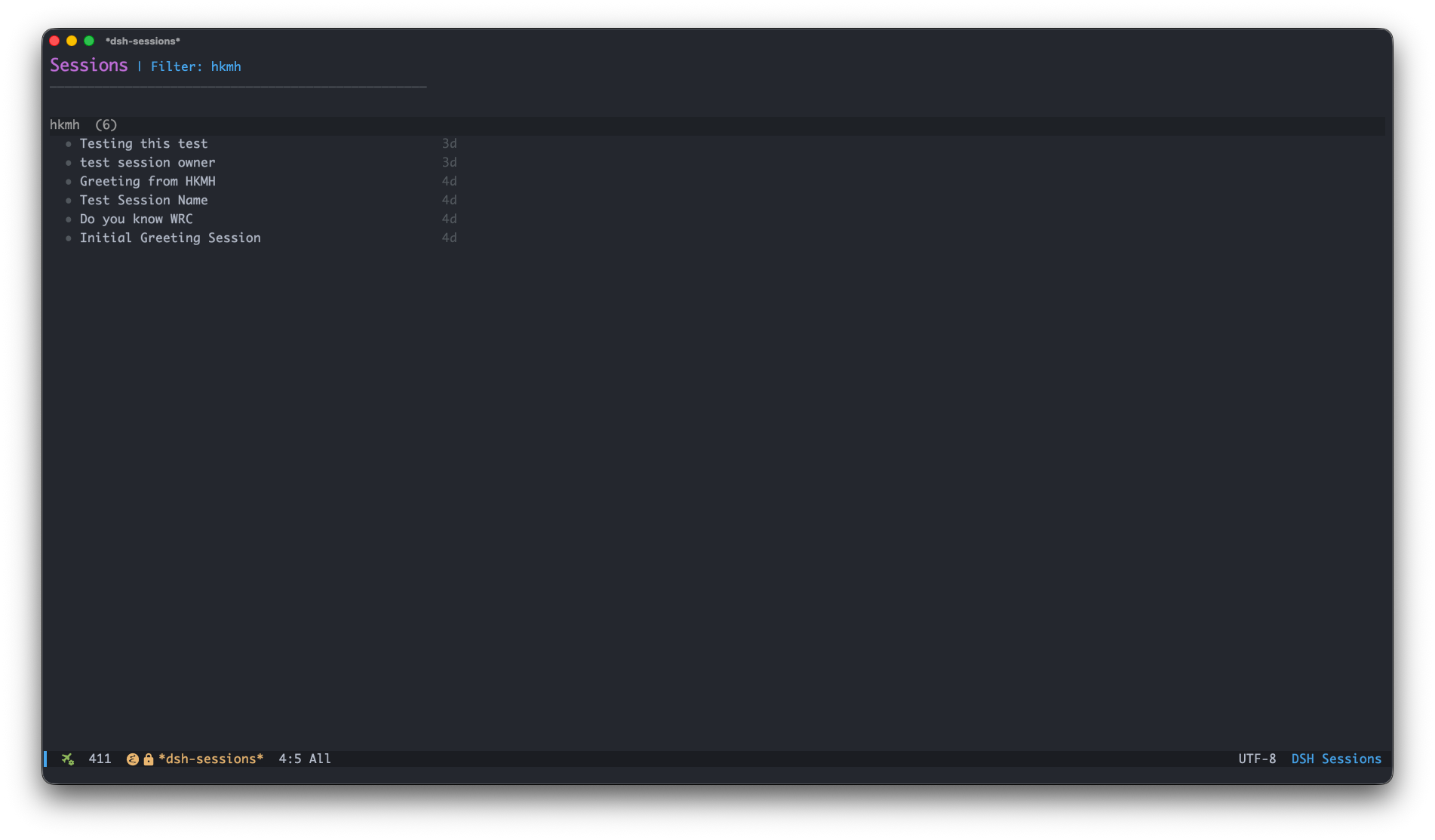
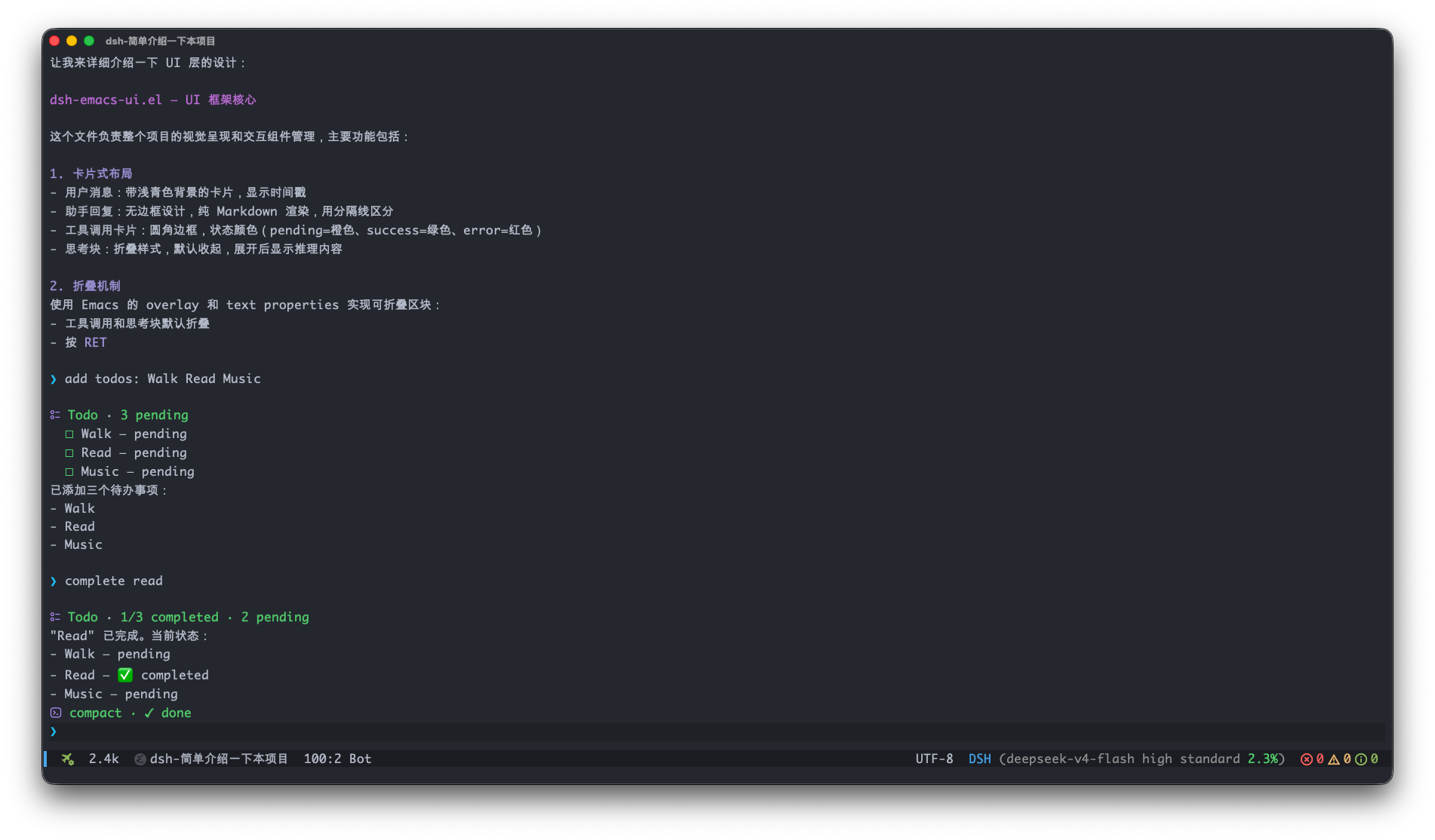
dsh-emacs is an Emacs frontend for DeepSeek Harness (dsh): it talks to a running dsh web service over plain HTTP/WebSocket and renders sessions, streaming replies, tool calls, thinking blocks and slash commands with an Emacs-native UI.
It aims to be the complete, zero-friction client for dsh web — built on nothing but Emacs built-ins (Emacs 27.1+), with zero third-party dependencies.
Quick Start
Requirements: Emacs 27.1+. The dsh CLI is optional — if it is missing, the
first server-touching command offers to install it, then starts the server for
you. No build step, no manual dsh web.
Install from this repository:
emacs-lisp(add-to-list 'load-path "/path/to/dsh-emacs")
(require 'dsh-emacs)
Then M-x dsh-emacs to open the session list. That's it.
A fuller example
This shows a typical setup — server auto-start, defaults, custom keybindings —
and how a session lands in the right workspace: dsh-emacs-new-session outside
any workspace context takes the current buffer's default-directory (a dired
buffer's browsed dir, magit's repo root, a file's directory) as the session's
working directory, auto-detects its Emacs project (project.el on Emacs 28+,
falling back to the VC root / .git walk) and creates the session in that
project's workspace, resolving it via idempotent workspace.create on first
use — disable with dsh-emacs-new-session-auto-project.
emacs-lisp1(use-package dsh-emacs
2  :load-path "/path/to/dsh-emacs"
3  :commands (dsh-emacs dsh-emacs-new-session)
4  :custom
5  (dsh-emacs-base-url "http://127.0.0.1:3080")   ; point at a remote server instead
6  (dsh-emacs-default-model "deepseek-v4-flash")
7  (dsh-emacs-default-preset "code")
8  (dsh-emacs-server-start-on-init t)             ; eager background start
9  :bind (("C-x d" . dsh-emacs)                   ; open the session list
10         :map dsh-emacs-mode-map                 ; inside a chat buffer
11         ("C-c C-a" . dsh-emacs-attach-file)))
Common keys inside a chat: C-c C-c send — while a turn is running it
queues the input as the next turn (dsh-emacs-busy-enter-behavior; C-u
steers instead) and with an empty input interrupts — C-c C-b interrupts
explicitly, C-c C-q manages the pending queue (minibuffer list, keys
act on the highlighted item; x deletes all), C-c C-m switch model, C-c C-a attach an image, C-c C-r
refresh, C-c C-s switch session in this workspace (C-c M-s or
C-u C-c C-s across all workspaces),
C-c C-f toggle the mode-line stats, TAB complete /name. In the
session list: RET open, c create, w workspace filter, / search,
g refresh. Everything else is in the manual.
Server setup
By default everything is managed for you: before the first RPC,
dsh-emacs-server-ensure probes the base URL, locates (or offers to install)
the dsh CLI, and spawns dsh web --no-open in the background. Set
dsh-emacs-server-auto-start to nil to run the server yourself — a server you
start is used and never killed.
Works with remote deployments too: a non-loopback base URL — including
https:// and nginx Basic-Auth via user:pass@host — is probed and used
directly, and dsh-emacs never spawns a local server for a remote one.
Provider/model configuration is owned by dsh, not by dsh-emacs: configure
it in the dsh web UI (M-x dsh-emacs-open-web) or the dsh home files
(~/.dsh/settings.yaml, ~/.dsh/.credentials.yaml).
Screenshots
Documentation
- Architecture — module layout, RPC API, event flow
- RPC protocol — complete dsh wire reference: methods, events, projections
- Slash commands — semantics, catalog, completion
- Model picker — grouping, icons, reasoning effort
- Mode line — segments, context% source, spinner
- UI styling — faces, dsh-web icons, markdown rendering
- Customization — every option
- Development & testing — workflow and verification commands
- Changelog
Contributing
Changes come in via pull request; the main branch is protected, and each PR
should be one topic. For non-trivial work, open an issue first to align the
scope. Development workflow, verification commands and commit conventions are
in AGENTS.md — run scripts/verify.sh (one-shot gate: syntax
check, checker self-tests, full unit suite, clean load) before pushing.
Acknowledgments
The UI is designed to mirror the
dsh web UI: tool rows reuse
its exact SVG icons and ToolRow / ioCard semantics, and the session list,
command rows and context meter follow dsh-web conventions.
The Markdown-rendering and folding machinery builds on
agent-shell (agent-shell-ui.el /
agent-shell-markdown), and the mode-line stats and compact token formatting follow
pi-mono.
License
GPL-3.0-or-later — GNU General Public License v3 or later.