dsh-auto-memoryDeepSeek Harness plugin
A caring memory companion for DSH — three-layer auto memory, proactive calendar reminders, warm AI greetings, per-turn auto-consolidation, and inheritance of memories from other AI tools.
- Stars
- 45
- Forks
- 4
- License
- BSD-3-Clause
- Last commit
- Sep 2, 2026
Overview
A caring memory companion for DSH — three-layer auto memory, proactive calendar reminders, warm AI greetings, per-turn auto-consolidation, and inheritance of memories from other AI tools.
Original README
Cached from the project repository on Sep 3, 2026. This is source content, separate from the Agents.md review above.
dsh-auto-memory — Auto Memory & Proactive Companion for DeepSeek Harness
🌐 Landing page (full feature tour · data flow · papers · screenshots)


Promo gallery · six frames · click any thumbnail to view full size
Promo gallery, frame by frame (expand and flip through)
Frame 1 · Hero — She remembers, unbidden
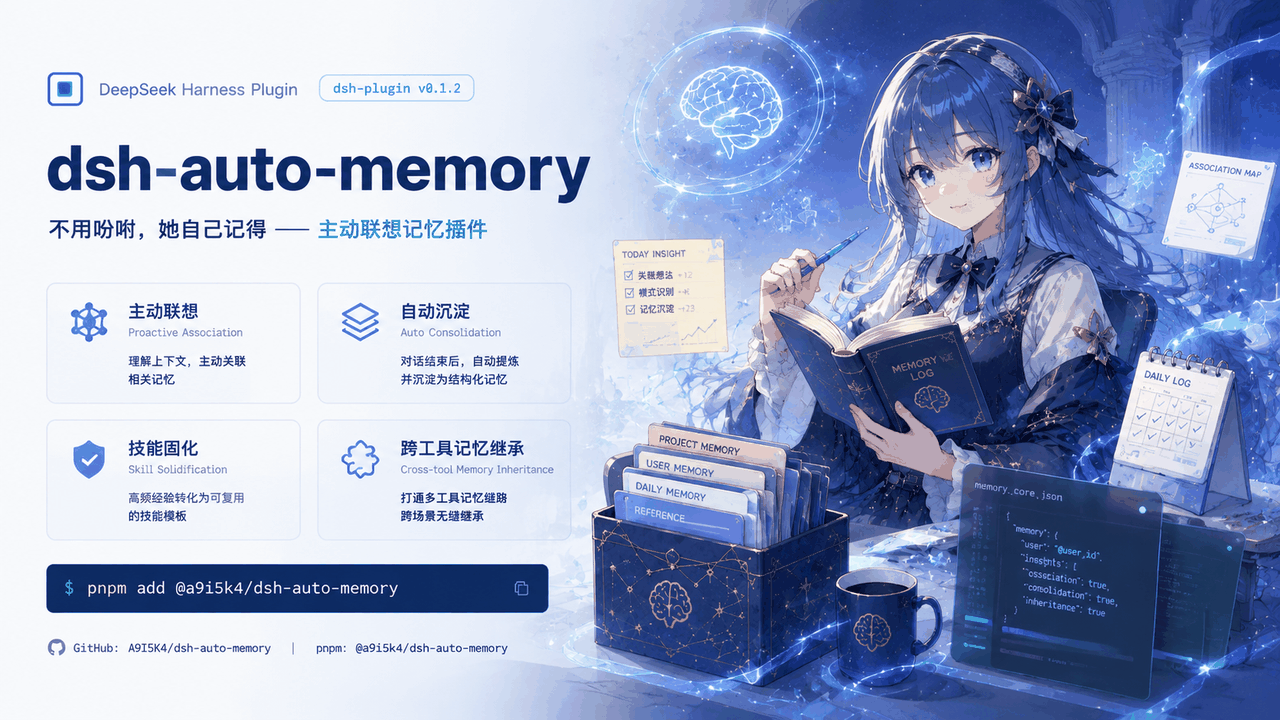
Frame 2 · Welcome Tour — Every feature, explained and toggled on the spot

Frame 3 · Recall & Crystallization — Conversation condenses into skills, traceably

Frame 4 · Unattended Mode — Runs all night, zero small talk, zero interruptions

Frame 5 · External Memory Inheritance — Your other AIs feed her memory too

Frame 6 · Scheduled Greetings — Every day remembered

中文 · English · License BSD-3-Clause · pnpm add @a9i5k4/dsh-auto-memory
v0.1.30 MAJOR UPDATE — A brand-new Welcome Tour: every feature introduced step by step with per-feature switches; an Office/Fluent-style liquid-glass app icon family; a changelog intro animation; and an unattended mode built for long batch jobs.
A proactive associative-memory plugin for the DeepSeek Harness Web GUI: memory is recalled by situation and injected into the next turn without the model ever asking for it — alongside three-layer auto-consolidation, AI greetings and daily reflections, calendar reminders, cross-tool memory inheritance, and production-grade unattended/batch support.
The problem it solves: AI assistants start from zero every session, and every existing memory solution still relies on the model "remembering to look" — call a tool, send a request; skip it once and the memory might as well not exist. This plugin removes the instruction entirely: a host-side middleware watches the conversation context continuously, and the right memories walk toward the model on their own — your preferences, project conventions, yesterday's progress, next week's deadlines, plus that "welcome back" when you return.
Highlights in 30 seconds
| Proactive recall, zero instructions | Memory is never fetched by the model — the host watches context and recalls automatically, injected at a fixed boundary, prefix-cache friendly |
| Three-layer memory engine | User rules → project notes → daily logs; injected + on-demand recall |
| Memory writes itself | A subagent quietly evaluates every turn and files topic-grouped entries — you never "remember to log" |
| Every activation is auditable | Each recall decision carries a full evidence chain, gradeable in the Recall review tab; skills crystallize from cross-session evidence |
| Proactive reminders | The AI spots deadlines and promises in conversation, files them into the calendar and reminds you later |
| Everything is a switch | Welcome tour + settings page, every feature individually toggleable (incl. unattended mode) |
| External memory inheritance | Memories from WorkBuddy / CodeBuddy / Claude Code / Codex are scanned, importable, per-source managed |
| Production-grade hygiene | Write gate (mojibake/stutter/JSON-injection blocking) + dirty-token scanner + credentials never enter prompts |
Welcome Tour (new in v0.1.30)
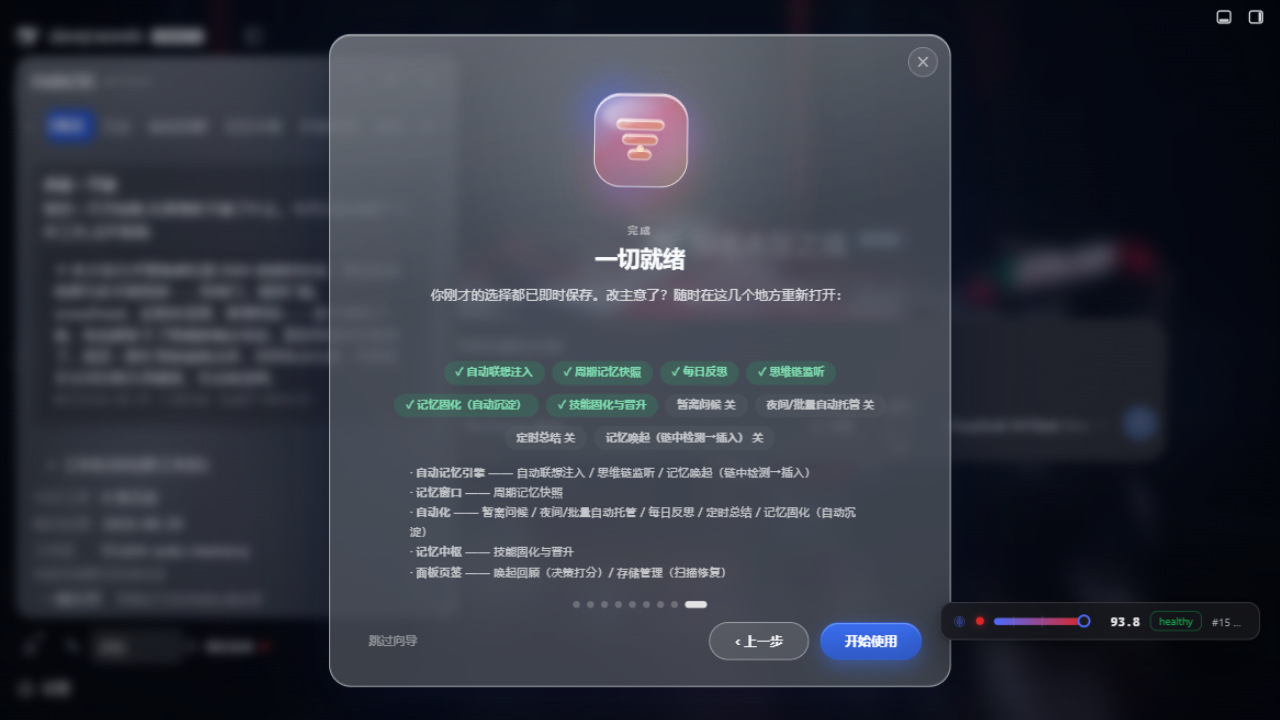
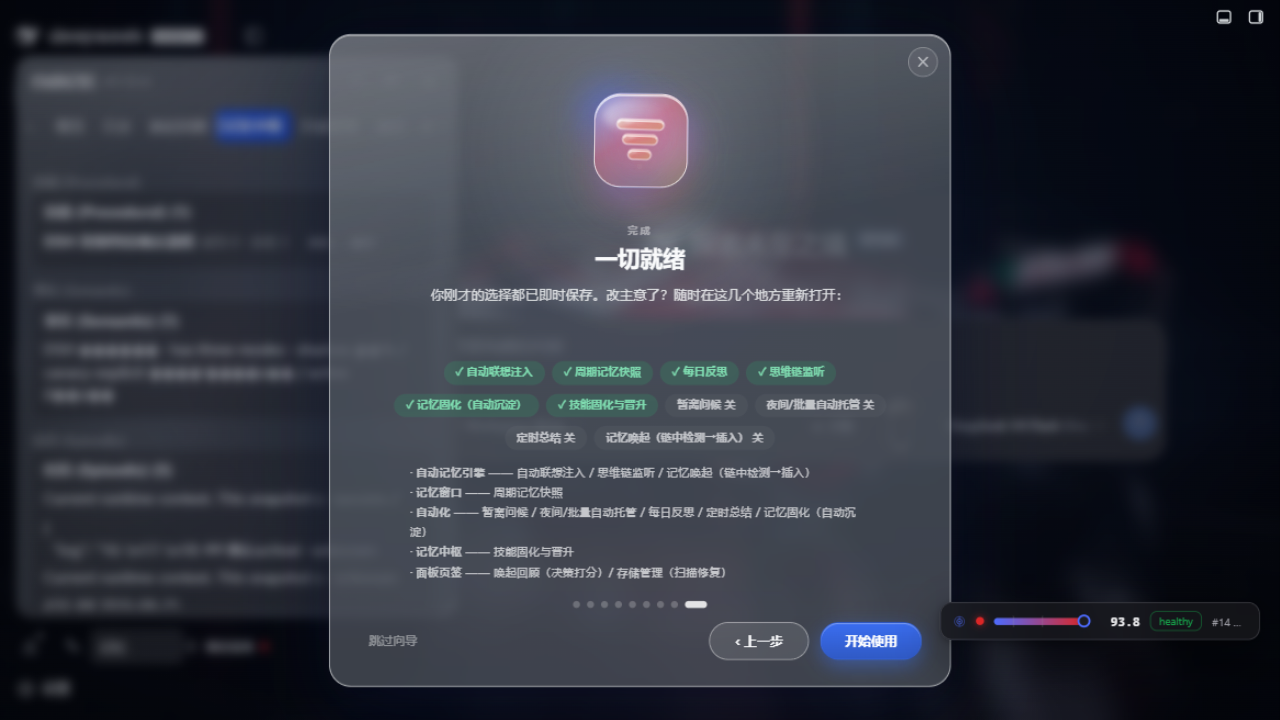
After first install or an upgrade, the plugin auto-plays a step-by-step welcome tour — not an ad popup, but the home of every feature switch:
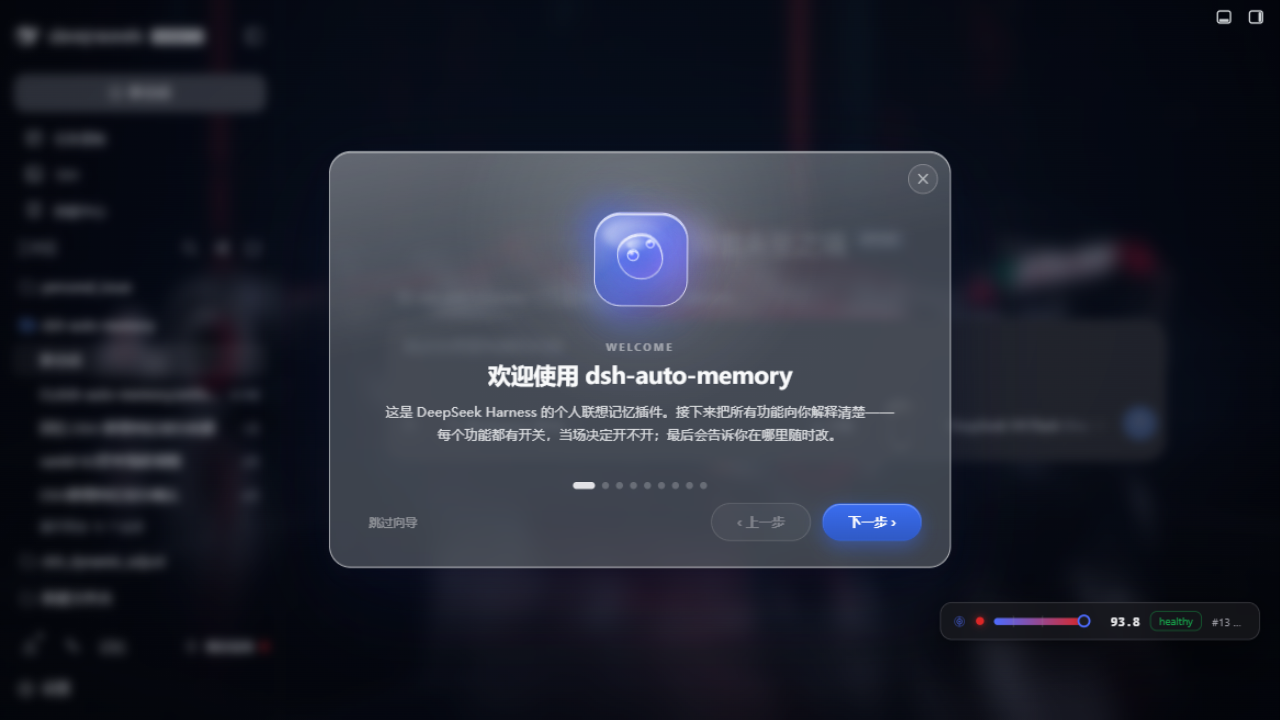
- One Office/Fluent-style liquid-glass app icon per step: cyan inject, amber greeting, green calendar, violet engine, sky radar, coral finish — each with its own looping motion (bell sway, page flip, radar sweep, rising spark…)
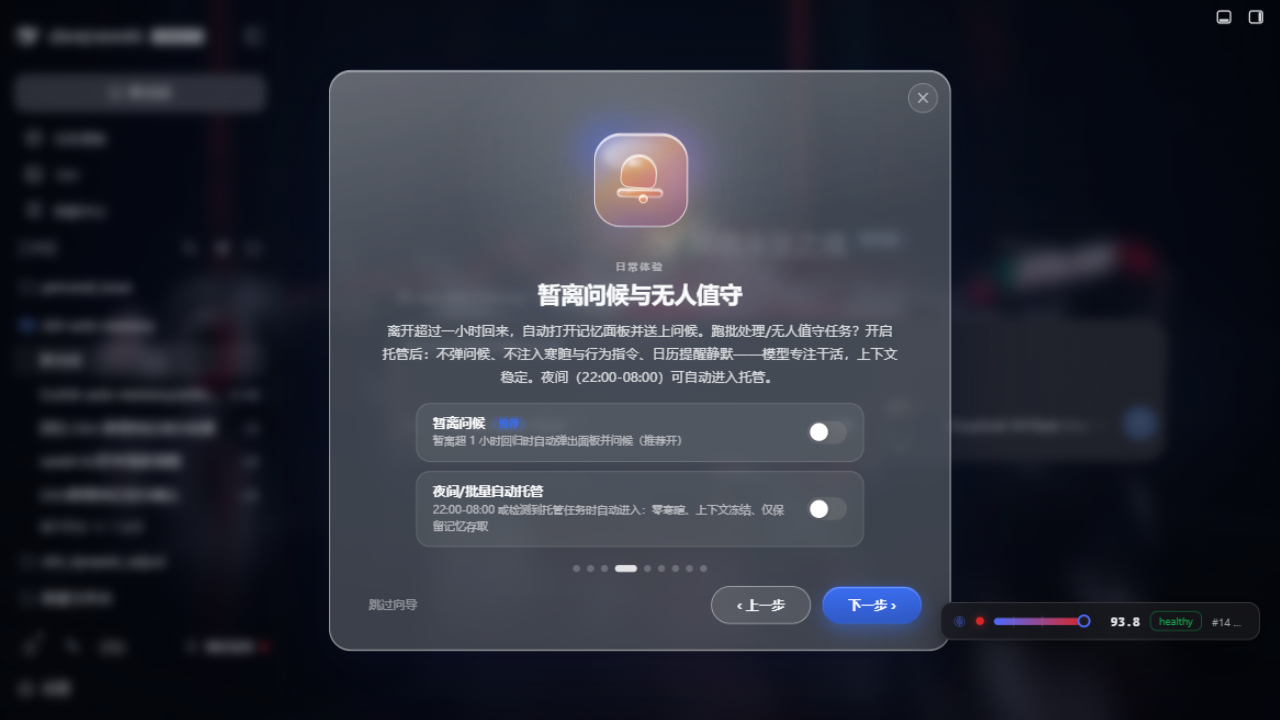
- Flip every feature right in the tour: switches write config instantly; no second trip to settings required
- Semantic-engine detection/download inline: the three retrieval tiers (lexical 0GB floor → built-in ~130MB → advanced Python BGE-M3) are auto-detected and one-click installable (SHA256 verify + inference self-test)
- Live external-memory scan: WorkBuddy / Claude Code / Codex sources found on your machine, tick-per-source
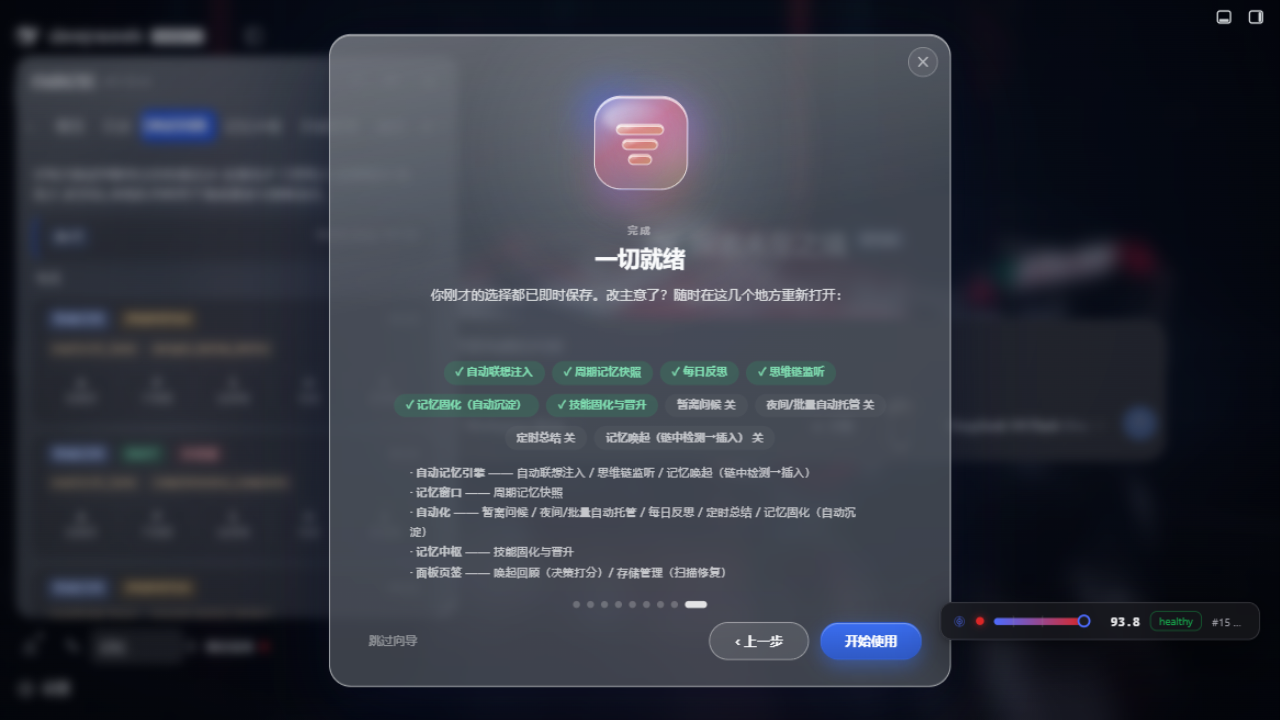
- No "how do I close this": closing mid-tour lands on a finish page telling you exactly where each feature lives in Settings
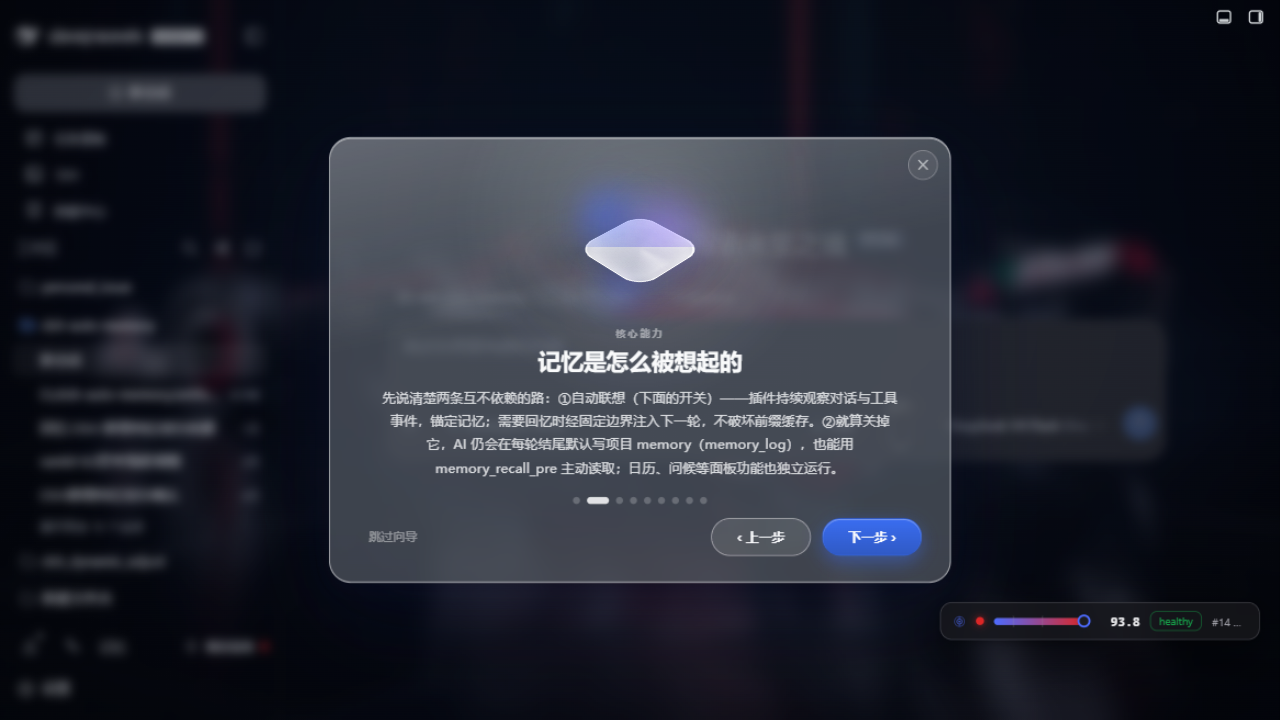
One-time catch-up for upgraders: from v0.1.30 every user auto-plays the full tour once after upgrading, then the changelog follows (skippable). Reopen anytime via Settings → Appearance → Welcome tour → ▶ Replay.
Three-layer memory system
| Layer | Location | Content |
|---|---|---|
| User-level memory | ~/.dsh/memory/MEMORY.md | Cross-project rules & preferences |
| Project notes | ~/.dsh/memory/workspaces/{workspace}/MEMORY.md | Conventions & decisions |
| Daily logs | ~/.dsh/memory/workspaces/{workspace}/YYYY-MM-DD.md | Append-only work log |
| Daily reflections | …/reflections/YYYY-MM-DD.md | Structured review (results / lessons / next) |
Injection strategy: static discipline lives in the system prompt (byte-stable, keeps the prefix cache hot); dynamic memory rides a runtime snapshot — only the last day of logs plus a reflection digest are injected, everything else is fetched on demand via memory_read / memory_recall. Credential/secret sections are always filtered out of prompts.
Feature tour
Auto-consolidation — memory writes itself
After every turn a small subagent quietly evaluates what happened: long-term-valuable topics are grouped into today's log (## Topic (HH:MM) + bullets), durable decisions are promoted to project notes, cross-project rules to user-level memory, small talk is skipped, failures queue and retry every 5 minutes (a 15-second heartbeat file proves the loop is alive). Daily write budgets with AI auto-compaction — going over budget never rejects a write.
Activation & crystallization — interrupt only when it matters
Associative recall detects memory needs directly in the conversation chain and injects at the next boundary (prefix-cache friendly); frequent workflows crystallize into skill checklists that attach automatically, promote after cross-session validation (approvals in the Memory Hub tab, 90-day auto-archive with pinning). Every "should I interrupt" decision can be reviewed and graded in the Recall review tab (A activate / P prefetch / S suppress / H harmful / E edit); the review queue digests into policy hints.
Unattended mode — built for batch jobs
Running long pipelines or automated flows? Settings → Automation offers Unattended mode and auto-unattended overnight (22:00-08:00, tunable). While engaged: no greetings, no niceties or behavioural directives, calendar silent, context stable — tokens go to the work, not the small talk.
AI greetings & daily reflections
A period-aware greeting (morning/afternoon/evening) that mentions your most important work; return after an hour away and the memory panel auto-opens with "welcome back" plus a recent-work digest; the first session of each day presents yesterday's structured reflection.
Smart search
Ask in natural language — the AI expands your query into keywords, scans every memory layer, and answers conversationally with sources cited; cross-workspace search included.
Calendar — maintained by the AI
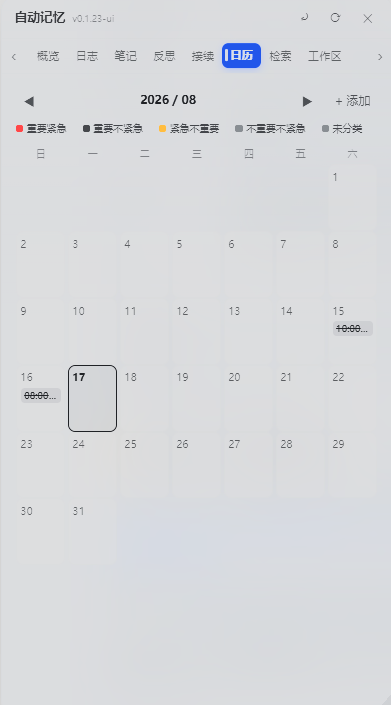
The AI spots deadlines and promises in conversation and files them (calendar_add); pending items are injected into later sessions until completed; day view is a 07:00–22:00 timeline with location/reminder fields and urgency-tinted colors.
External memory inheritance
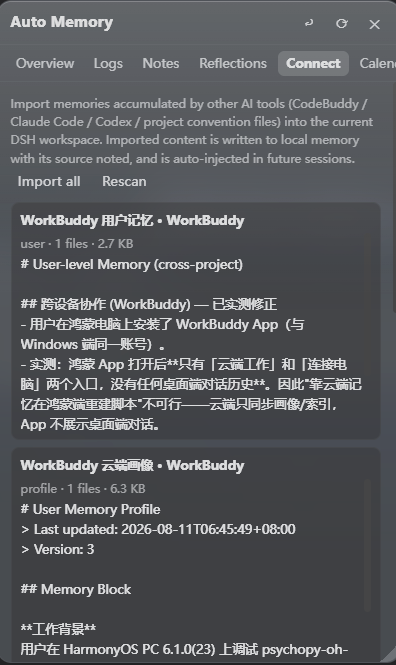
Sessions and memories from WorkBuddy / CodeBuddy / Claude Code / Codex are scanned, importable per source (path pointers only, never copied content), removable per source; import-side and injection-side hygiene gates keep external dirt out.
Memory hygiene (production-grade write gate)
- All three write tools run
sanitizeForWrite: GBK mojibake (34-feature table), stutter degeneration, consecutive duplicate lines, external-AI-profile JSON signatures, base64 residue — rejected with a human-readable reason - Settings → Debug Center "Scan dirty tokens": one-click scan of user memory / notes / logs / reflections, reported by line range (locations only, no content)
- Caps: 8,000 chars per append, 200,000 per rewrite; appends deduped against the last ~60 lines
Engineering core (restraint by design)
- Zero runtime dependencies beyond Node built-ins
- Prefix-cache friendly: byte-stable prompts keep DeepSeek's prefix cache hitting — your history is never re-encoded
- Rate-limited AI: auto-consolidation ≤8×/day with cooldown; useful memory without burning budget
- Centralized storage: all workspace memory under one root (
~/.dsh/memory/workspaces/), readable from any session - 30-day distillation: old logs are AI-distilled into project notes; originals archived, nothing lost
UI gallery
Memory panel · Overview (away greeting + AI period summaries)
Memory Hub · three stores + skill promotion approvals
Recall review · grade every activation decision
Welcome tour · feature switches + engine detection
More screenshots (click to expand)
External memory scan (inside the tour)
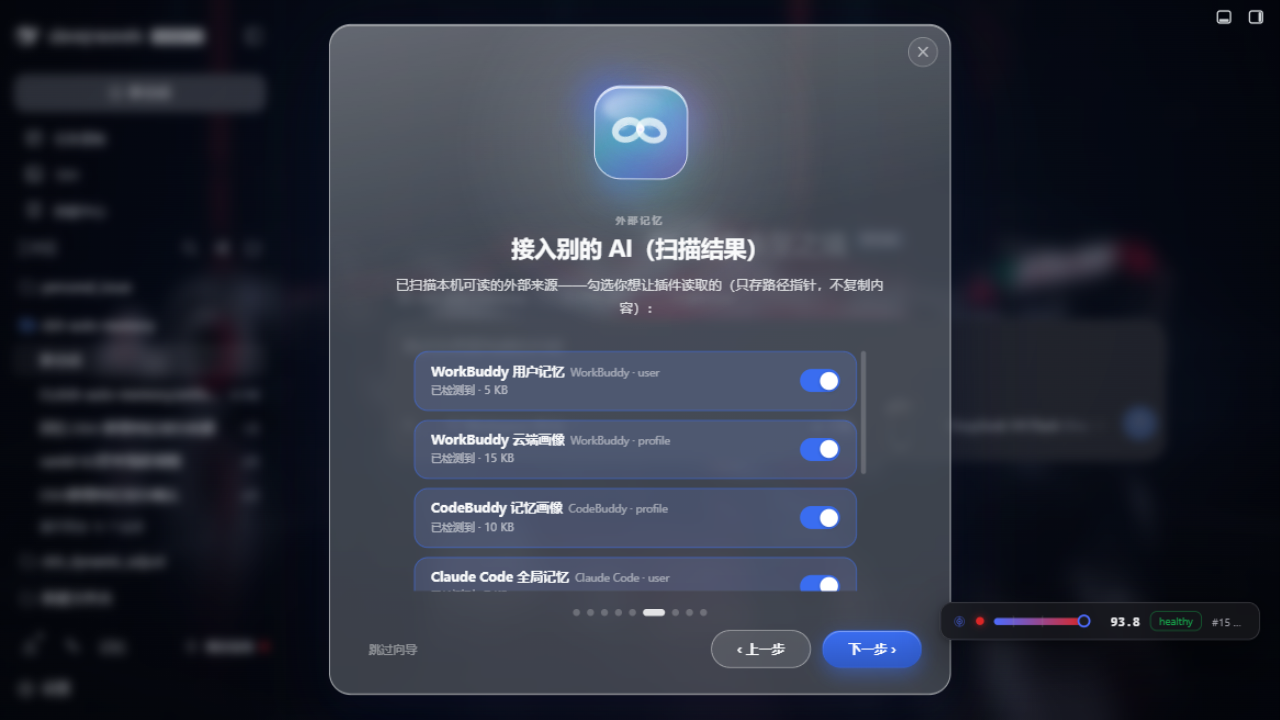
Connect other AI tools
Calendar view
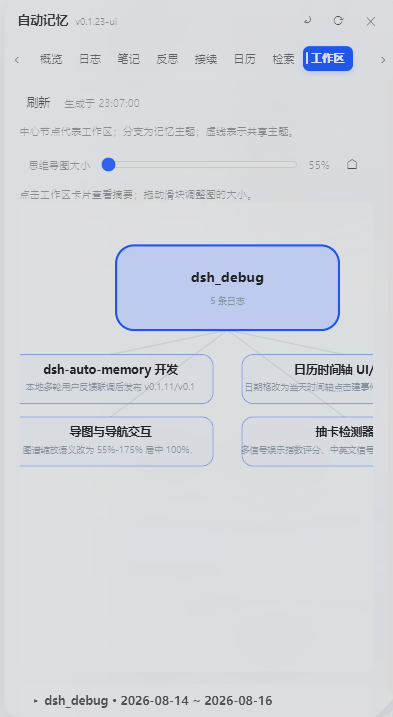
Workspace mind map
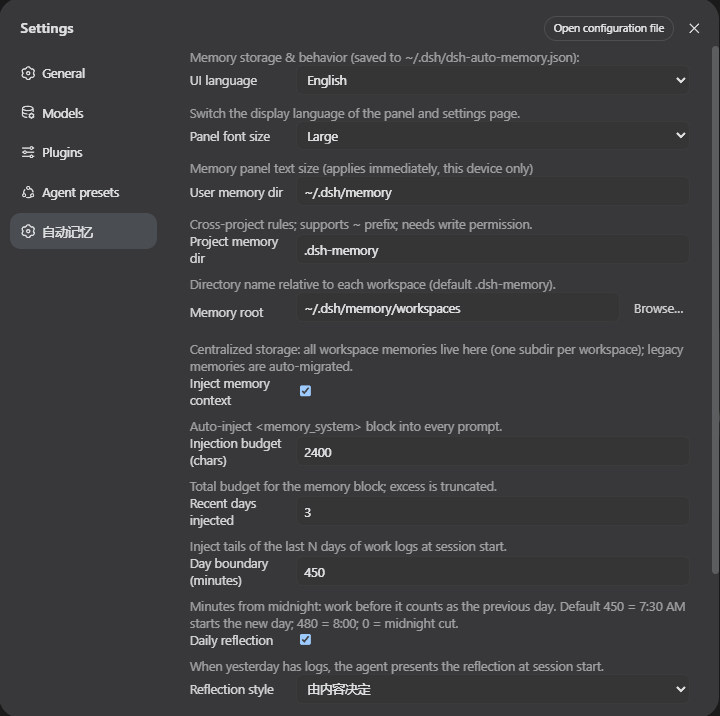
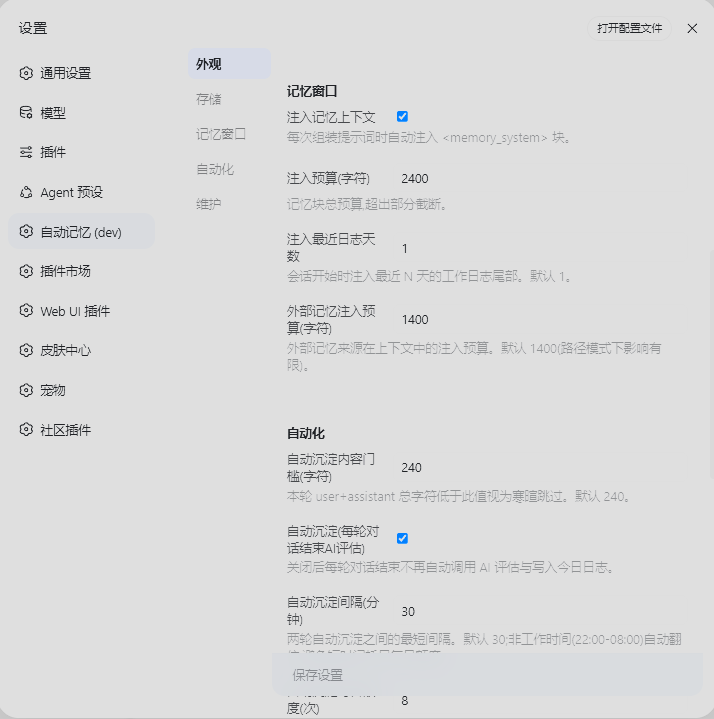
Settings
Install (one command)
Prerequisite: install DeepSeek Harness and start
dsh webat least once.
Run in the profile directory (~/.dsh/profiles/web):
bashcd ~/.dsh/profiles/web
pnpm add @a9i5k4/dsh-auto-memory
Then edit package.json in that directory and append to the dsh.profile.bundles array:
json"@a9i5k4/dsh-auto-memory"
Restart dsh web (the 「Memory」entry appears in the sidebar).
Semantic engine (optional but recommended)
The built-in JS semantic tier (e5-small q8, ~130MB) needs the @huggingface/transformers inference library, installed automatically as an optional dependency of the main package. If your pnpm security policy blocked its native scripts (you see ERR_PNPM_IGNORED_BUILDS / Ignored build scripts: onnxruntime-node, sharp), approve and reinstall once:
bash# approve the onnxruntime-node / sharp native install scripts, then reinstall transformers
pnpm approve-builds
pnpm add @huggingface/transformers
Restart dsh web — the welcome tour's semantic-engine step auto-detects readiness (SHA256 verify + inference self-test). Lexical BM25 (0GB) always works as a fallback; skipping the engine only lowers recall precision.
No pnpm?
npm install @a9i5k4/dsh-auto-memoryworks the same. pnpm v11 blocks packages published <1 day ago: setminimumReleaseAge: 0in pnpm-workspace.yaml or pin an explicit version for same-day updates.
AI-era installation
Copy this to the AI assistant you're already using:
Install the npm package @a9i5k4/dsh-auto-memory in the DeepSeek Harness web profile
directory ~/.dsh/profiles/web (pnpm add or npm install),
append "@a9i5k4/dsh-auto-memory" to the dsh.profile.bundles array in package.json,
then restart dsh web to activate the plugin.
Updating
bashcd ~/.dsh/profiles/web && pnpm up @a9i5k4/dsh-auto-memory
The Settings → Auto Memory page has a "Check for updates" button comparing your version with the npm registry; registry installs get a one-click update.
Configuration
Config file ~/.dsh/dsh-auto-memory.json (everything adjustable in the Settings GUI, zh/en UI and panel font size included):
json1{
2  "userMemoryDir": "~/.dsh/memory",
3  "memoryRoot": "~/.dsh/memory/workspaces",
4  "injectEnabled": true,
5  "injectBudgetChars": 2400,
6  "recentDaysInjected": 1,
7  "reflectEnabled": true,
8  "autoConsolidate": true,
9  "autoConsolidateCooldownMinutes": 30,
10  "autoConsolidateDailyMax": 8,
11  "unattendedMode": false,
12  "unattendedAuto": false,
13  "unattendedAutoHours": ["22:00-08:00"],
14  "memoryHubEnabled": true,
15  "externalSources": { "workbuddy-user": true, "claude-global": true },
16  "dayBoundaryMinutes": 450
17}
Full key reference lives in the Settings page — every switch has a description, and every welcome-tour switch maps 1:1 to settings.
Structure
lib/index.js— Host half: engine, injection, tools, routes (zero runtime deps, Node built-ins only)lib/client.js— Browser half: memory panel (calendar / mind map) + settings page + welcome tour (zh/en i18n)python/— optional Python semantic sidecar (BGE-M3 int8, advanced tier)cordis.patch.yml— plugin registration row
Architecture
All milestones are implemented and live-verified. The full interactive architecture map lives at docs/proactive-associative-memory-system-map.html; the core layering:
DeepSeek Harness (Node, 127.0.0.1:3080)
├─ JS memory core (lib/*_pre.js, zero runtime deps)
│   M1 session isolation · M2 ContextObserver projection
│   M3 memory anchoring (anchored records + sidecar identity)
│   M4 corpus adapter + shadow retrieval host (evidence store)
│   M5 context/evidence bridge (envelope · coverage · cite/correction)
│   M6 activation inbox (validate→offer→claim→reference tail→delivered/seen)
│   lexical_pre_v2 lexical fallback retrieval (BM25 + CJK 2gram, 0GB always-on)
│   C2 built-in semantic tier (e5-small q8 ~130MB, default)
└─ Python sidecar M7 (optional, lazy-spawned child process)
    worker_semantic_pre_v1.py
    ├─ index_sync: JS-authorized paged index build (digest checks, scope grouping)
    ├─ dense: BGE-M3 int8 + para-512 chunks + cosine (R@5 0.925)
    ├─ hybrid: dense 0.7 + lexical 0.3 fusion
    └─ fv2 activation policy: two lanes + hard gates (echo/correction/stale/scope)
Separation of powers: the Python semantic layer decides what to recall and when to suggest; the JS authority layer decides identity, authorization, timing, and delivery — Python never creates evidence nor injects directly. Data flow: context_push → M5 envelope → decision → M6 fixed-boundary injection → delivered/seen evidence back.
Design papers
The design is not guesswork — every algorithmic conclusion comes from reproducible experiments, frozen into an engineering decision ledger:
| Paper | Content |
|---|---|
| Multilingual Embedding Retrieval Study | 3 models × 5 chunkings × 6 retrieval channels ≈ 90 evaluation cells; BGE-M3 leads across the board, frozen as decisions D1–D11 |
| Activation v2: The Echo Trap | Why semantic relevance ≠ recall necessity — activation policy technical report + dual-track deployment architecture (§7) |
| Embedding Benchmark Report | Frozen basis for model/chunk/fusion: bge-m3 + para-512-noov + weighted fusion |
| Frozen Algorithm Decisions D1–D11 | The decision ledger from research conclusions to production implementation |
| Held-out Human-Gold Acceptance | 67 human-labeled verdicts: actPrecision 0.917 / harmful injections 0 / echo tier 7/7 |
| Python Sidecar Contract | Protocol / lifecycle / authority boundary / per-milestone regression evidence |
Papers were authored by the autonomous engineering agent (ZCode / GLM); all conclusions were frozen into the production implementation under human review.
Known limitations
- Memory files are plain-text Markdown; no secrets stored unless explicitly requested.
memory_recallsession search depends on the deployed session-query index; without it, only local search works.- Plugin-set changes require a dsh restart.
Community
- @ProperSAMA — panel readability fix for DSH Desktop enhanced mode (transparent/Mica materials) + entry-button anti-occlusion & outside-click/Esc close (PR #12)
- @nkh0472 — unattended/batch workflow hardening feedback that drove the welcome tour and per-feature switches (Issue #10)
Credits
This project is built human-machine collaboratively. In addition to engineering and community contributions above:
- Aik358 — project owner: product direction, architecture, and engineering.
- ZCode (GLM, Z.ai) — autonomous engineering agent: M-series semantic-engine implementation, benchmark research papers (M7-RESEARCH-PAPER / Activation v2 report), regression suites, and the landing-page design/build.
- Kimi K3 (Moonshot AI) — frontend agent: contributed to the v0.1.30 welcome-tour interface assets and visual QA.
AI agents are credited as authors of the research papers and parts of the implementation, under human review and direction.
Release
- GitHub: https://github.com/Aik358/dsh-auto-memory
- npm:
@a9i5k4/dsh-auto-memory - License: BSD-3-Clause