dsh-any-backgroundDeepSeek Harness plugin
Deepseek Harness 自定义主题插件,支持自定义图片/视频壁纸,对话框,侧边栏等透明度模糊度调整,全局主题色的色轮调整插件
- Stars
- 21
- Forks
- 1
- License
- MIT
- Last commit
- Aug 31, 2026
Overview
Deepseek Harness 自定义主题插件,支持自定义图片/视频壁纸,对话框,侧边栏等透明度模糊度调整,全局主题色的色轮调整插件
Original README
Cached from the project repository on Sep 3, 2026. This is source content, separate from the Agents.md review above.
dsh-any-background

English | 中文
A DeepSeek Harness appearance plugin that lets you fully customize the Web UI — custom theme color, background wallpaper, and fine-grained per-part opacity & blur controls.
Screenshots
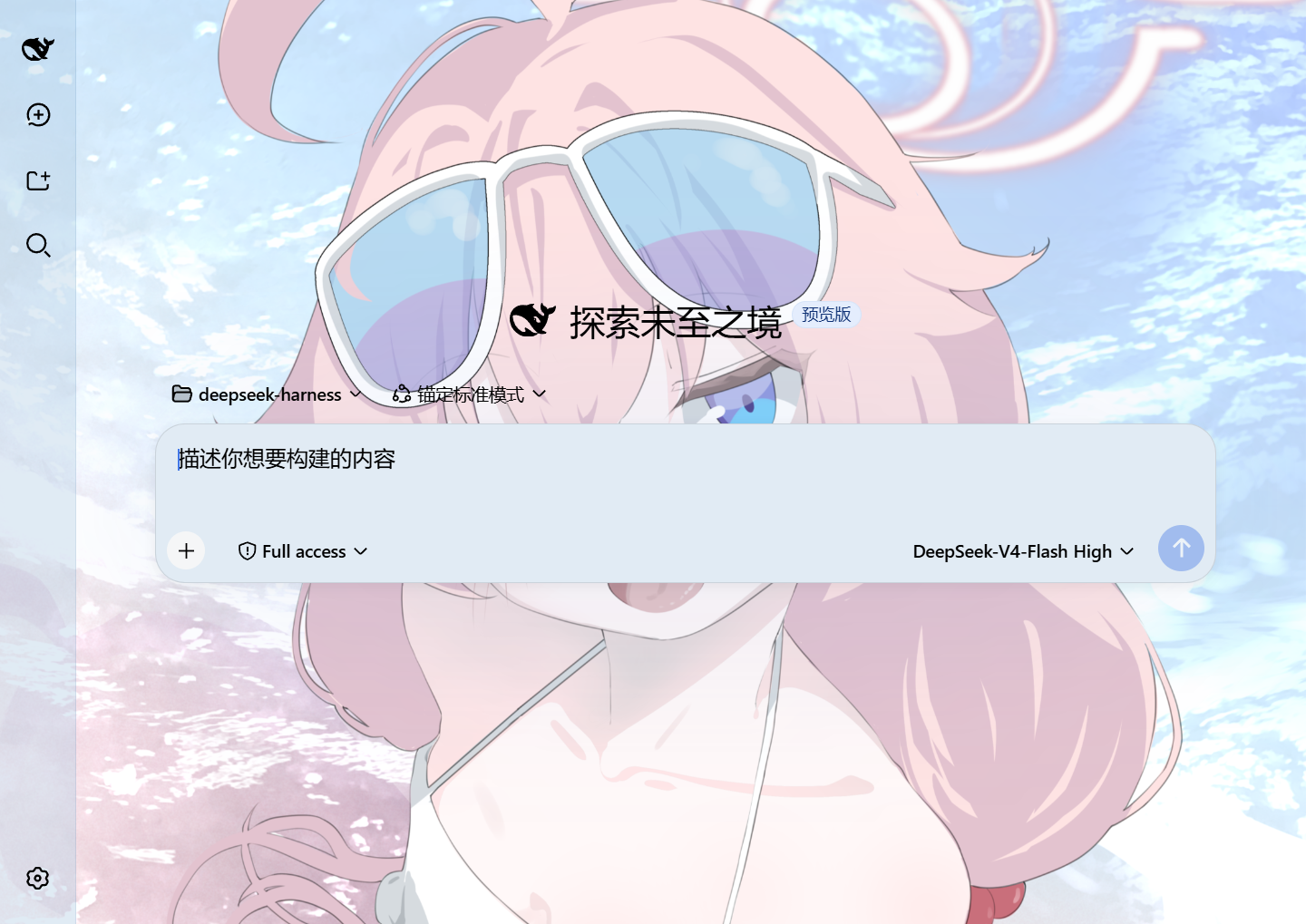
Custom homepage · wallpaper + theme color applied
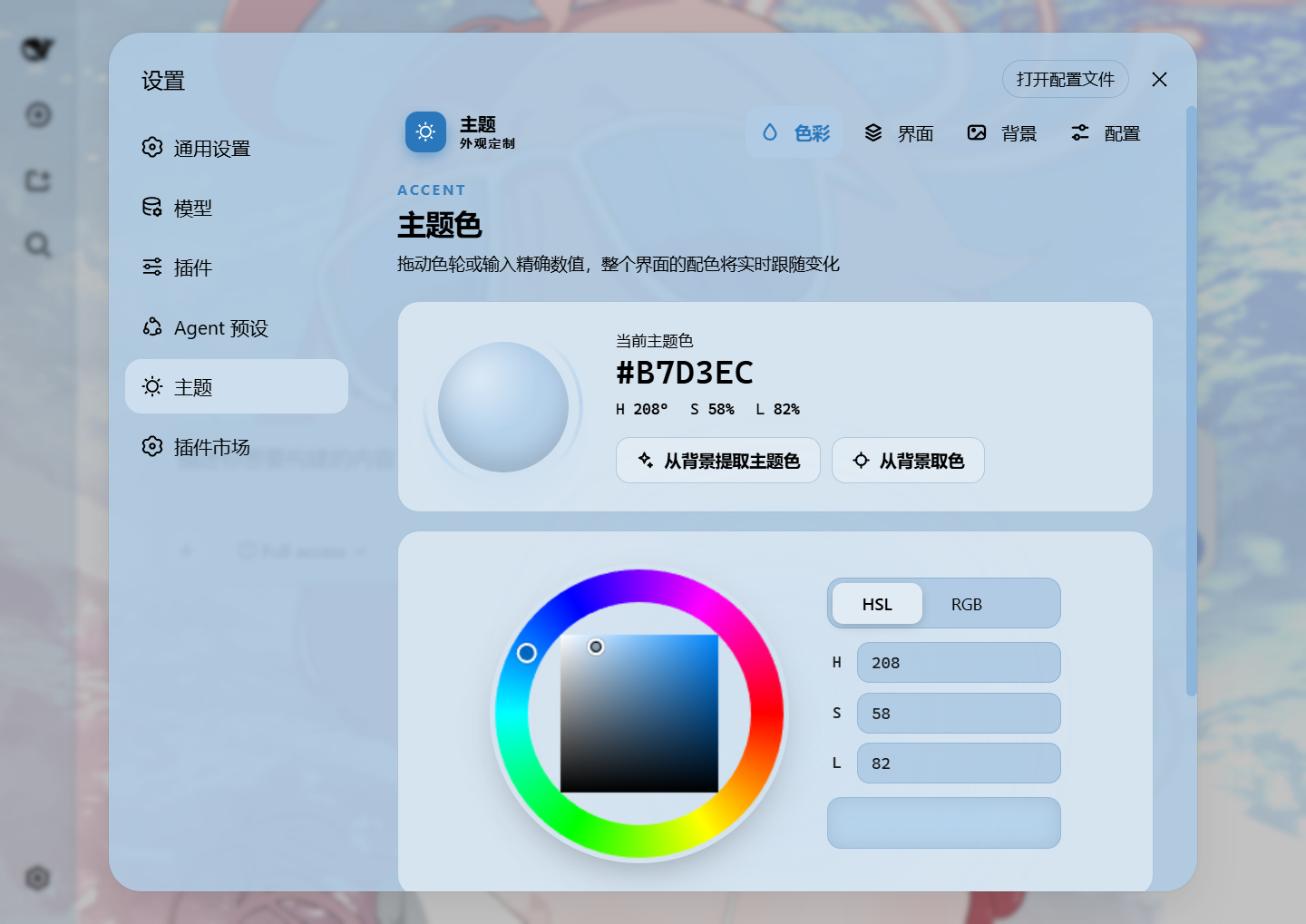
Theme color picker · PS-style wheel + precise HSL/RGB inputs
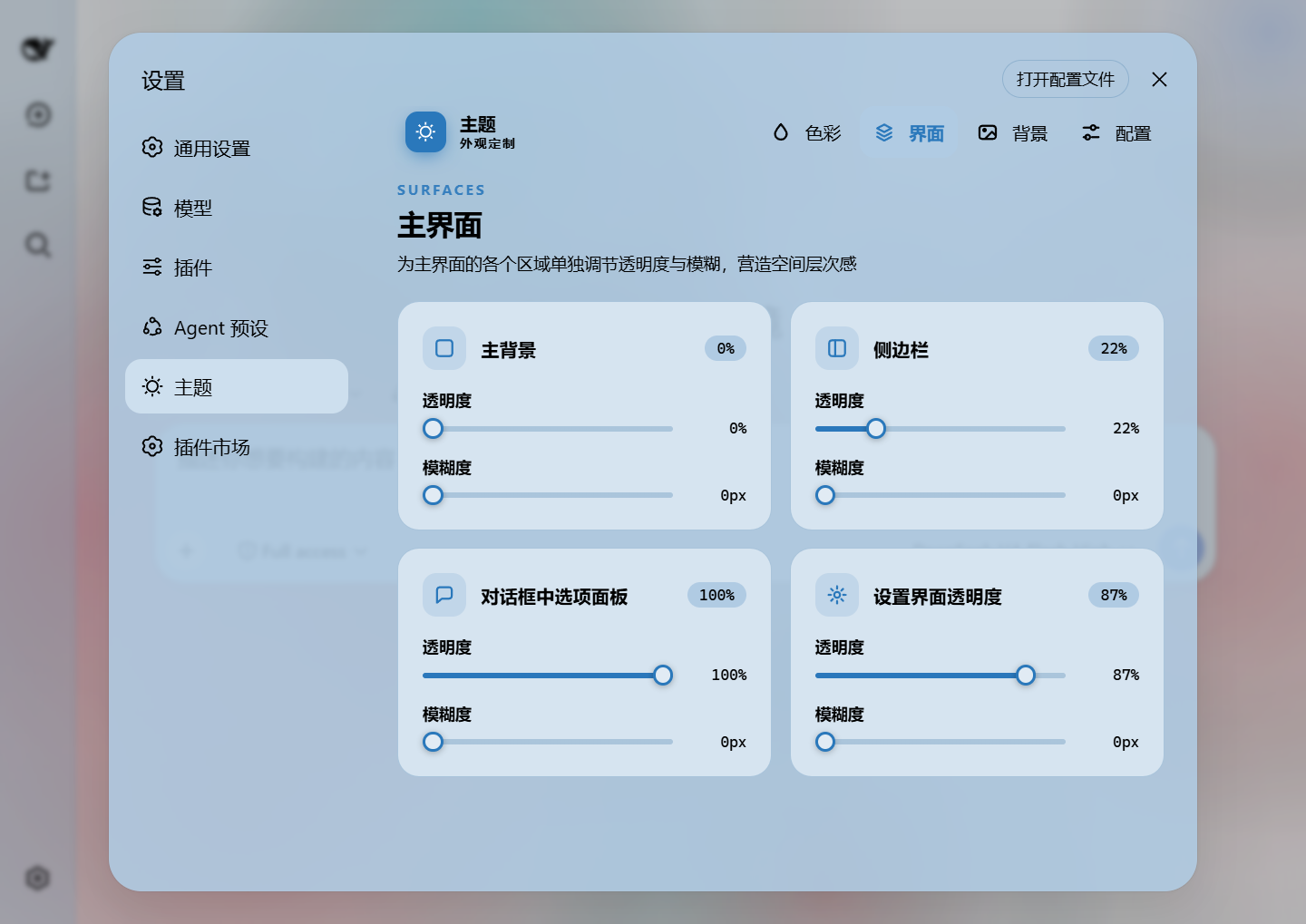
Per-part opacity and blur · main background, sidebar, cards, settings
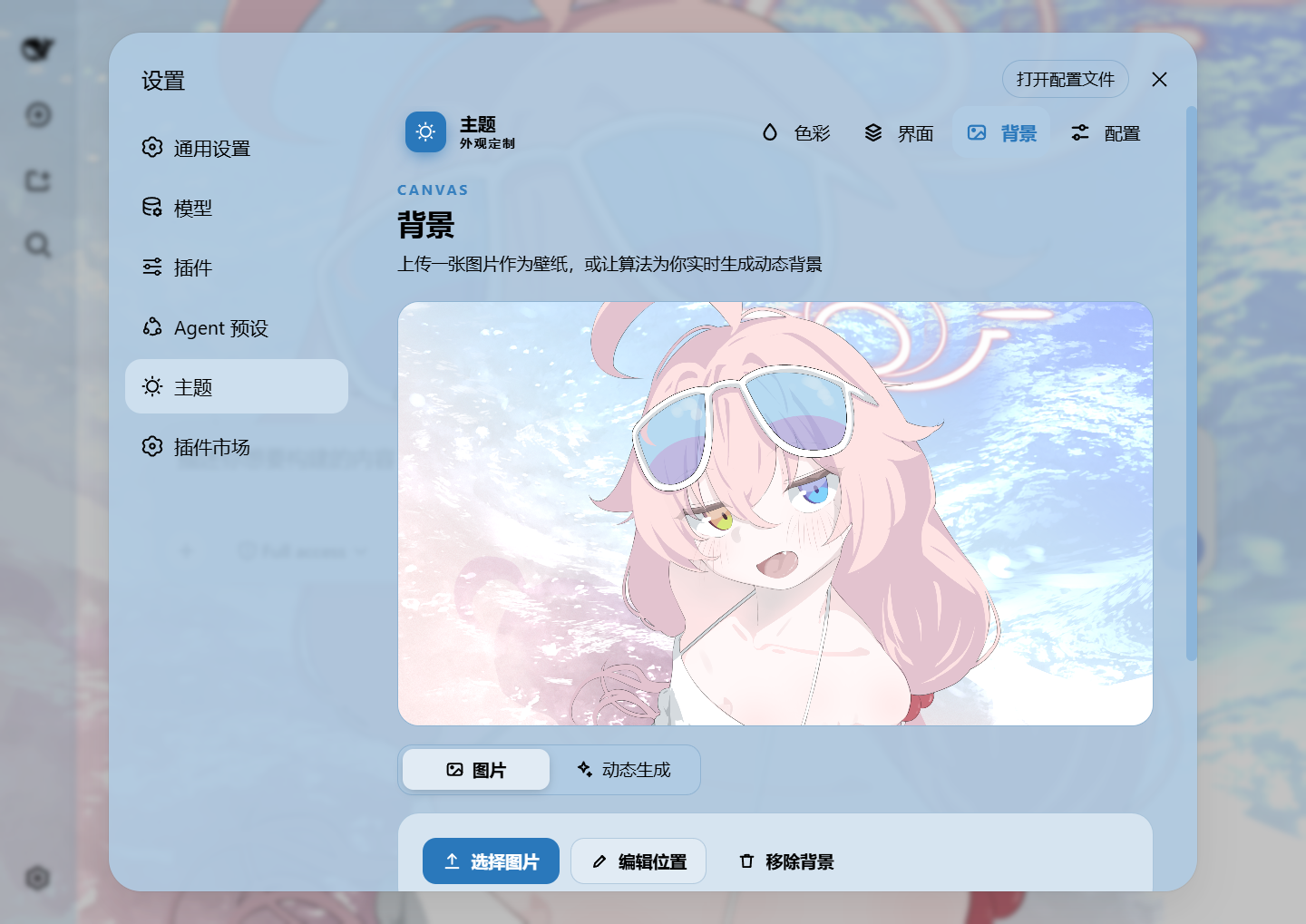
Background editor · image/video wallpapers support drag-to-pan and scroll-to-zoom
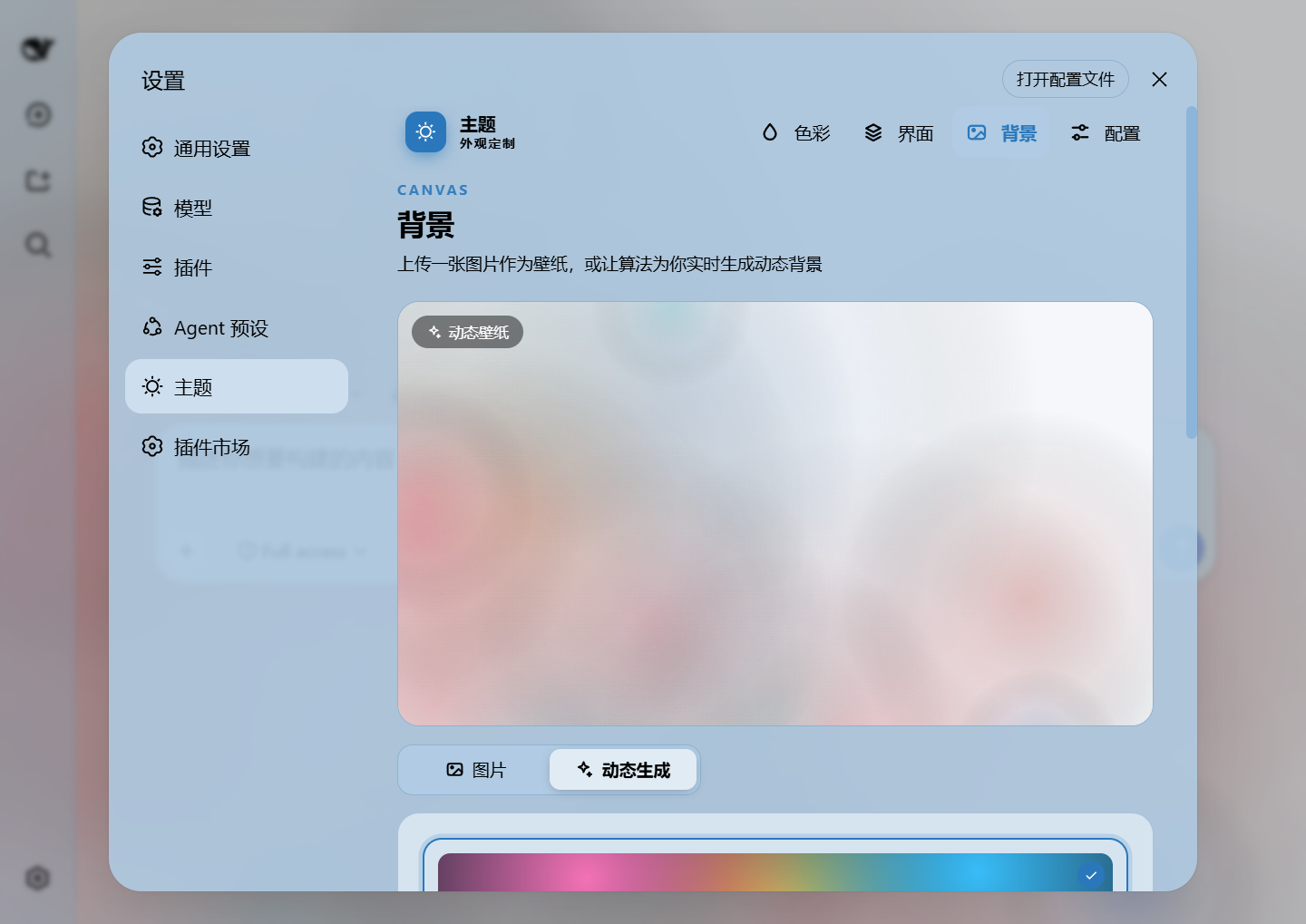
Generated dynamic background · mesh gradient / Shader / geometric presets
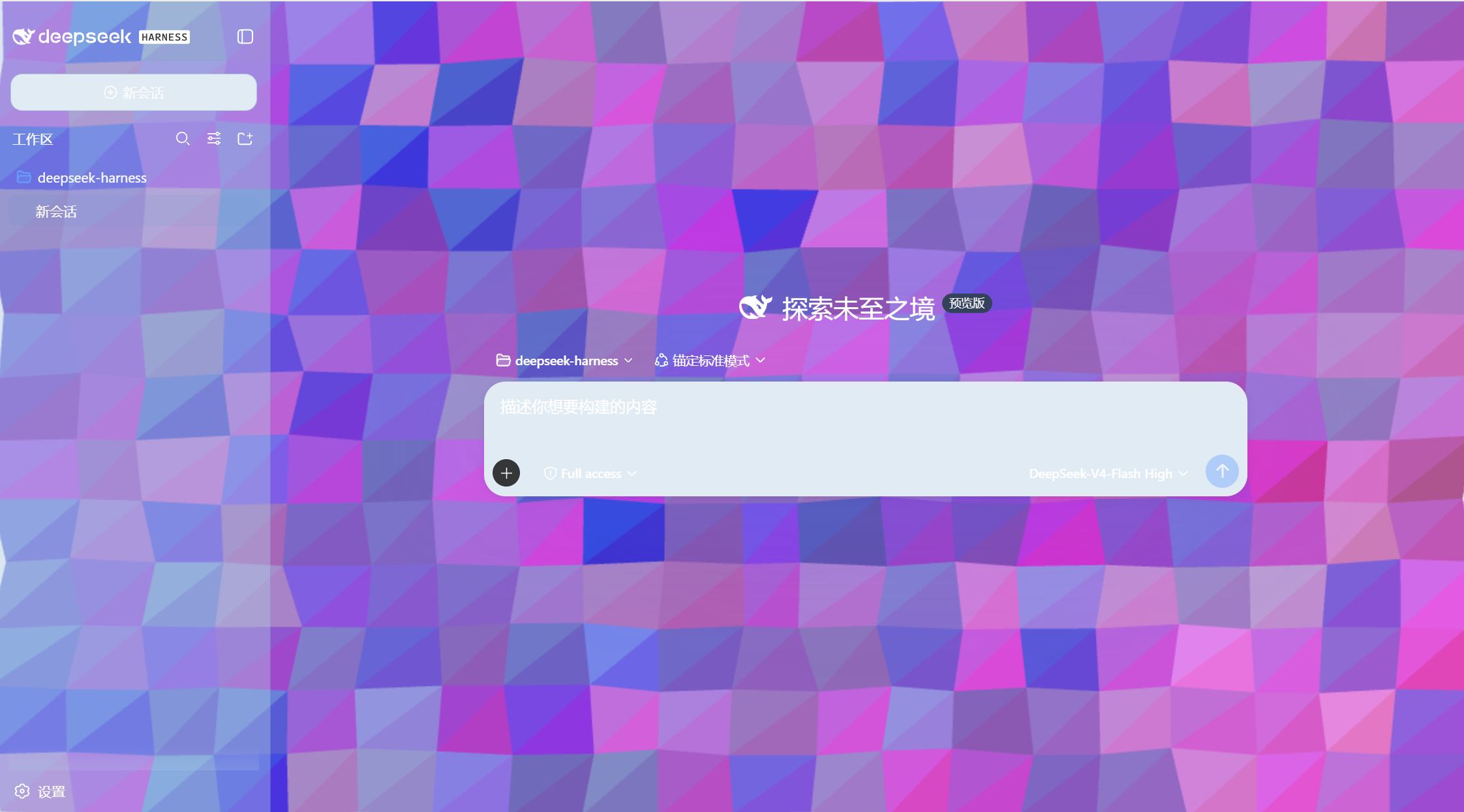
Generated dynamic background · geometric low-poly mode preview
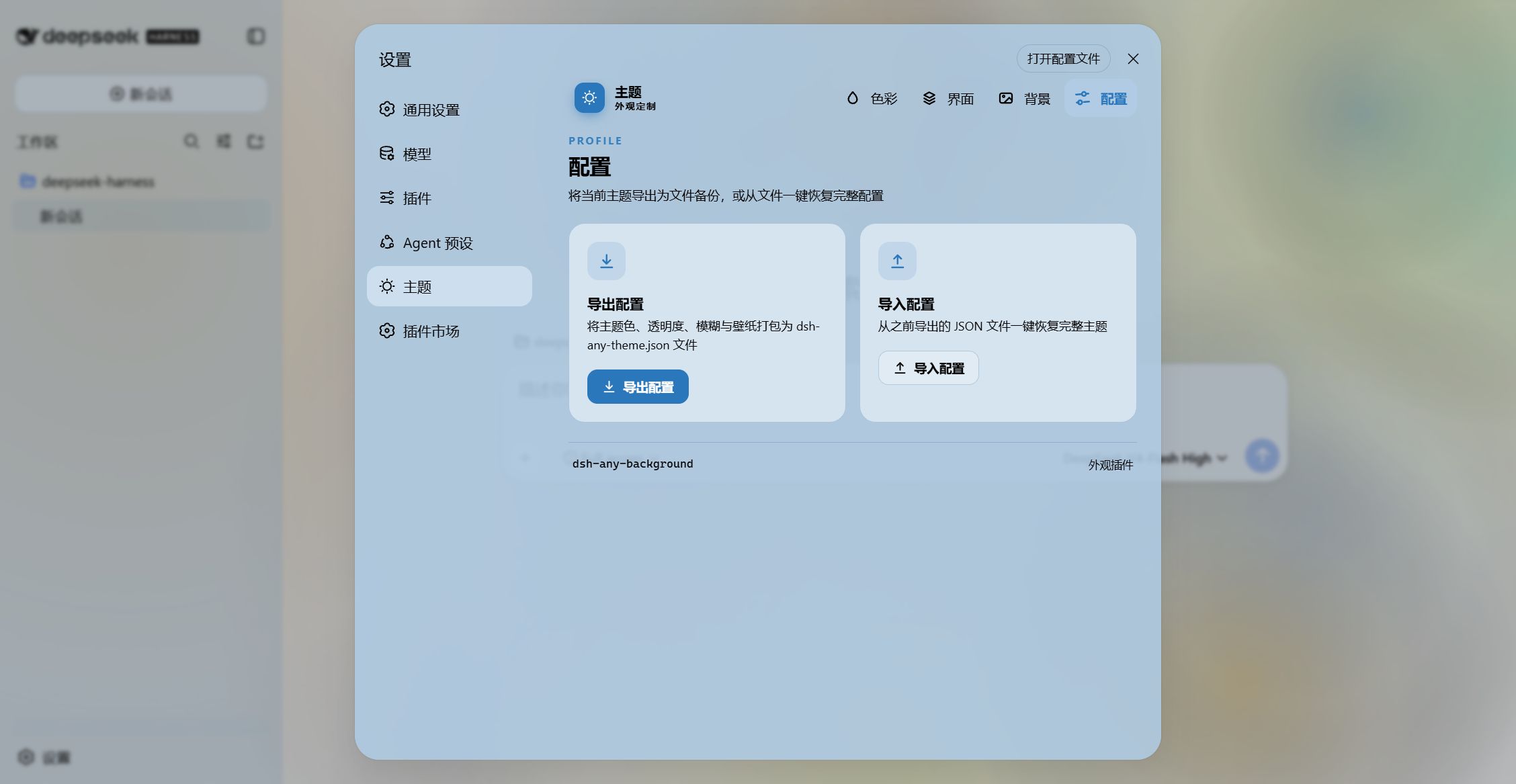
Export and import configs to share
Features
- PS-style Color Wheel — Pick hue on the ring, adjust saturation & lightness in the inscribed square. Generates 30+ CSS design tokens in real time.
- Precise HSL / RGB Input — Enter exact color values numerically with instant bidirectional sync to the wheel.
- Smart Color Extraction — One click derives a theme color from your wallpaper by sampling the visible region, quantizing, and filtering out gray / near-black / near-white pixels. Video wallpapers contribute via an auto-captured frame. Fully client-side.
- Eyedropper — Hover the wallpaper to preview a color and click to pick it as the theme color.
- Background Wallpaper — Upload any image as your wallpaper. Drag to pan and scroll to zoom inside a viewport-proportional editor.
- Video Wallpaper — Use a video as a live wallpaper: muted looping playback that survives refreshes (file persistence + HTTP streaming with Range seek), with an auto-captured frame powering the preview, theme-color extraction, and the position editor.
- Position Editor — One shared editor for images and videos: drag to pan, scroll to zoom, one-click reset. Image and video placements are stored separately and never overwrite each other.
- Layout Modes — Fit / Fill / Stretch / Tile / Center for both images and videos; in Fit mode the editor-committed framing stays consistent across window resizes and cross-monitor moves.
- Generated Dynamic Backgrounds — Choose mesh gradient, Shader, or geometric patterns with adjustable spread, intensity, and seed locking.
- Per-part Interface Opacity — Independent sliders for the main background, sidebar, cards & panels (including the dropdowns and menus around the dialog), the input & controls (composer box, Cordis panel), plus the settings panel and wallpaper.
- Per-part Interface Blur — Frosted-glass
backdrop-filterblur (0–60 px) for each interface part, including a real backdrop on the composer and Cordis panel via stable host selectors. - Conversation View Cards — The message list is wrapped in a translucent card automatically, and the trajectory page gets whole-page opacity & blur controls, letting the wallpaper shine through the content.
- Theme Export / Import — One-click export to a self-contained
dsh-any-theme.json(config + wallpaper, video embedded as a data URL) and import to restore it anywhere. - File-based Persistence — All settings are stored on the filesystem under
~/.dsh/.dsh-any-background-data/, notlocalStorage. - Bilingual — Full Chinese / English UI with automatic locale detection.
- Theme Watchdog — Re-asserts the custom theme if the host resets it.
Recent Optimizations
v0.2.2
- Dark host surfaces fully themed — Message bubbles, setting-box inputs/cards, selectors, ghost/toolbar buttons, and module-platform surfaces now carry explicit dark tokens, eliminating white-on-white and white-icon-on-bright bugs across the conversation view, settings page, and interactive controls.
- Refresh white-flash eliminated — A theme-reset watcher re-asserts the plugin's forced scheme within the same frame the host re-applies its light
:root/bodyrules; the!importanttoken stylesheet survives host theme resets, so entering, refreshing, and set-changes no longer paint a white frame. - Brand badge & code banner contrast — The sidebar brand badge and the code-block info banner now use dark surfaces with legible labels and icons.
- Placeholder reads as a hint — The composer placeholder is rendered with the weak caption token and italic styling, clearly distinct from real input text.
- Dual harness compatibility —
defineStoreis resolved through a runtime adapter that prefers the new@deepseek-ai/dsh-client-storeand falls back to the legacy@deepseek-ai/dsh-client-runtime/client. A single bundle loads on both the npm release and the new deepseek-harness source, with no "missed the module table" boot failure.
v0.2.1
- Instant video playback on import — A picked video starts playing immediately from a local object URL while its raw bytes stream to disk in the background; the persisted serve URL takes over on the next reload — no upload + first-buffer wait after import.
- Option boxes follow the card slider — The dropdowns, slash-trigger menu, model selector, and popovers around the dialog now follow the "Cards & panels" opacity slider instead of "Input & controls"; the Cordis panel keeps its own input-slider binding.
Installation
Method 1: npm install (Recommended)
shdsh plugin --profile web add github:Tkingxiao/dsh-any-background
# or, if published to the registry:
dsh plugin --profile web add dsh-any-background
Then launch:
shdsh web
The plugin appears as a "Theme" section in Settings.
Method 2: npx (No Global Install)
shnpx @deepseek-ai/dsh plugin --profile web add github:Tkingxiao/dsh-any-background
npx @deepseek-ai/dsh web
Method 3: Local Build (Development)
The lib/ directory is committed, so installs need no build step. To rebuild after editing src/:
shgit clone https://github.com/Tkingxiao/dsh-any-background.git
cd dsh-any-background
pnpm install
pnpm run bundle
pnpm dsh plugin --profile web add "dsh-any-background"
pnpm dsh web
Compatibility
dsh web— Full support on both the npm release and the new source build. The plugin auto-detects which client-module table the host ships (the new@deepseek-ai/dsh-client-storeor the legacy@deepseek-ai/dsh-client-runtime) and resolvesdefineStoreaccordingly at runtime.- deepseek-harness-desktop — Supported; a known Electron packaging issue makes the left sidebar and center area opacity appear inverted — awaiting a desktop-client update to fix it.
Star History
License
MIT