DeepSeekGUIDeepSeek Harness plugin
A Windows desktop client for DeepSeek Harness. V1 wraps the official Web UI; v2 (independent workbench) in development.
- Stars
- 27
- Forks
- 1
- License
- NOASSERTION
- Last commit
- Sep 1, 2026
- Latest release
- v1.0.0
Overview
A Windows desktop client for DeepSeek Harness. V1 wraps the official Web UI; v2 (independent workbench) in development.
Original README
Cached from the project repository on Sep 3, 2026. This is source content, separate from the Agents.md review above.
 DeepSeekGUI v1.0.0
English | 中文
DeepSeek's coding agent, on your desktop.
A Windows desktop client for DeepSeek Harness.





DeepSeekGUI packages the DeepSeek Harness Web UI into a native Windows app. V1 runs the official Harness interface inside a desktop shell, with added integration — installer, system tray, built-in browser and terminal. Point it at a folder, give the agent a task, and it reads your code, edits files, runs commands, browses the web, and explains what it did — all through DeepSeek's models.
Just the installer and an API key — everything else is bundled.
Not an official DeepSeek product. Built on top of DeepSeek Harness but independently developed. The upstream runtime and official Web UI are DeepSeek's work.
Where this is headed: V1 is a desktop wrapper around the upstream Web UI. A fully independent workbench with a custom interface built for desktop is in active development and expected to ship as v2.0.0.
Download
| Platform | Download | Requirements |
|---|---|---|
| Windows | Download installer | Windows 10/11, x64 |
Installs to your user account — just double-click. The installer bundles its own runtime, ready to go.
⚠️ SmartScreen warning: V1 isn't code-signed yet, so Windows will show a "Windows protected your PC" popup. Click "More info" → "Run anyway" to proceed. This is expected and will go away once code signing ships.
Verify the download (optional)
Verify the installer hash before running it:
powershellgh release download --repo See-Sol-Lab/DeepSeekGUI --pattern 'DeepSeekGUI-Setup-*.exe' --pattern 'SHA256SUMS.txt' --clobber
Get-FileHash .\DeepSeekGUI-Setup-1.0.0.exe -Algorithm SHA256
Only run the installer if the hash matches SHA256SUMS.txt. See the troubleshooting guide if you get stuck.
Quick start
- Install DeepSeekGUI and open it.
- Go to Settings → Models and paste your DeepSeek API key.
- Pick a model (choose one with vision support if you need image input).
- Go back to the home screen and open a workspace folder.
- Start a session, tell the agent what you want, and review its work.
See the quick-start guide for a full walkthrough.
Why DeepSeekGUI
It's a real app. One-click install — bundles its own runtime, so all you need is the installer.
Built for DeepSeek. DeepSeek reasoning, vision, and tool use each have dedicated product paths.
You stay in control. The agent runs sandboxed by default. Every file edit and tool action needs your approval before it happens. You see what it's doing, and you can stop it.
A real, visible browser. The built-in browser panel uses Edge — you can watch the agent navigate in real time. Sensitive actions still go through approval.
Everything stays on your machine. Sessions, credentials, and settings are all stored locally.
Still Harness under the hood. Profiles, plugins, hooks, and the CLI all work the same way. DeepSeekGUI wraps the runtime and keeps full compatibility.
Screenshots
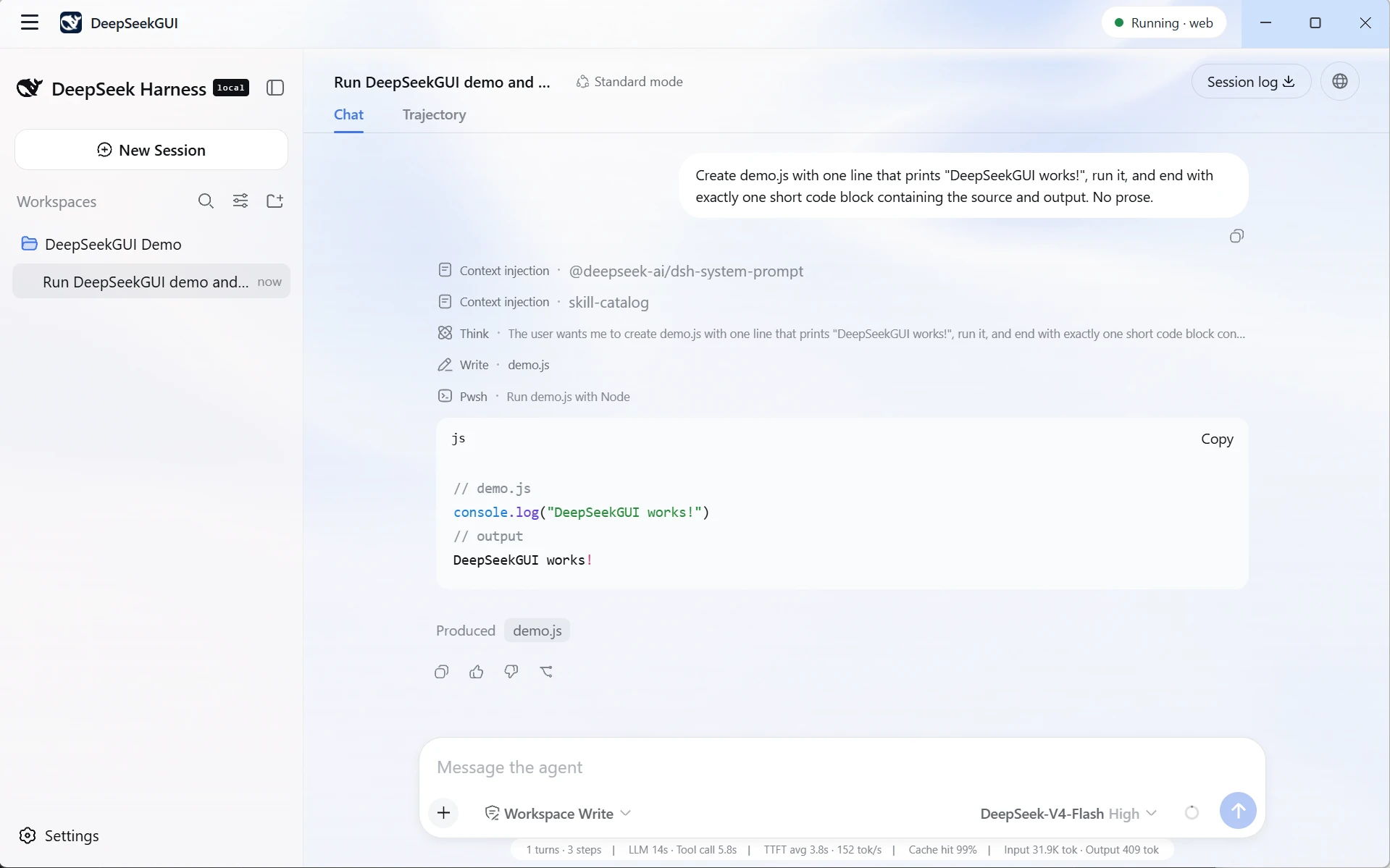
Give the agent a task and watch it work through your codebase — editing files, running commands, explaining each step.
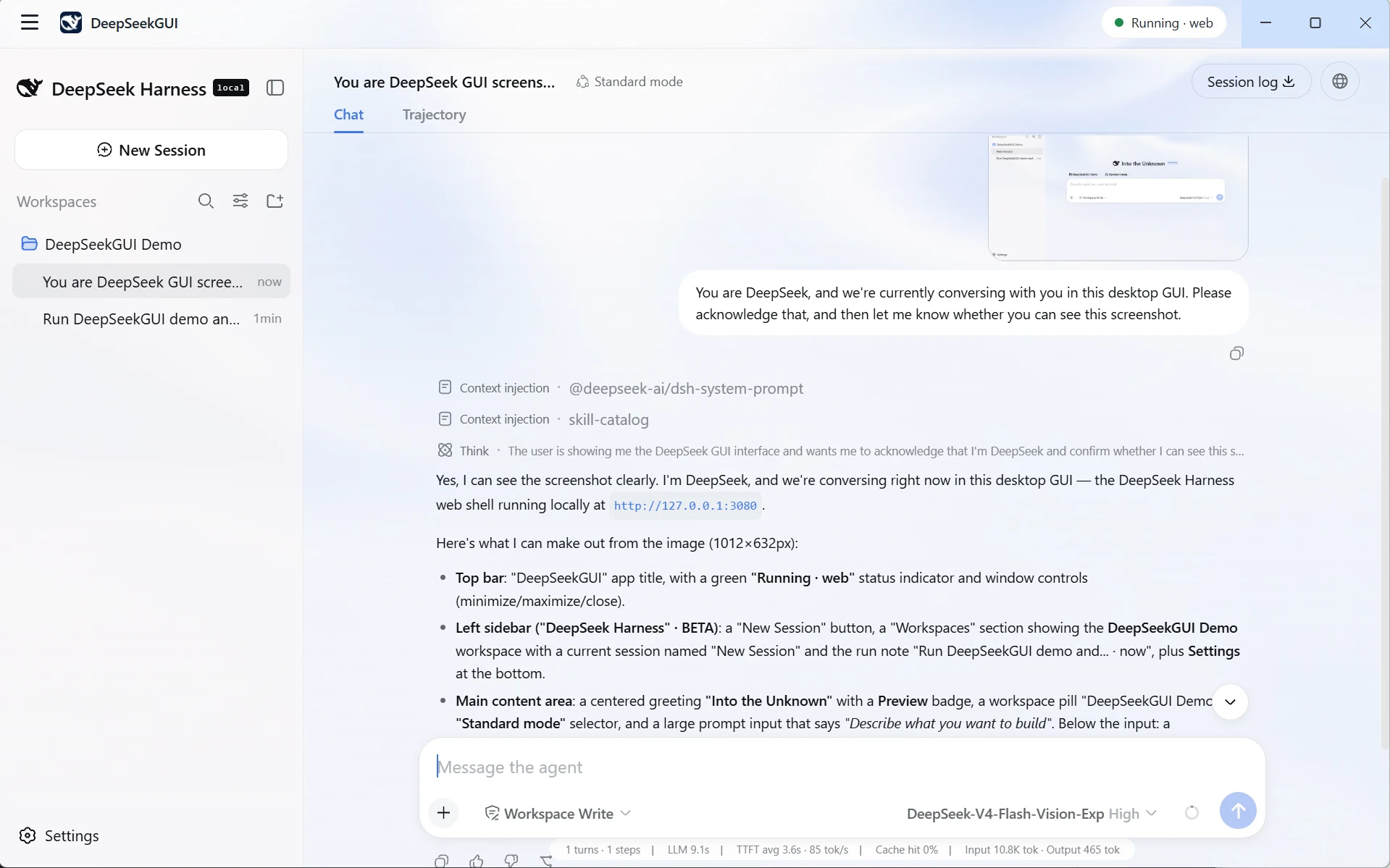
Attach screenshots or images. Vision-capable models will describe and work with them.
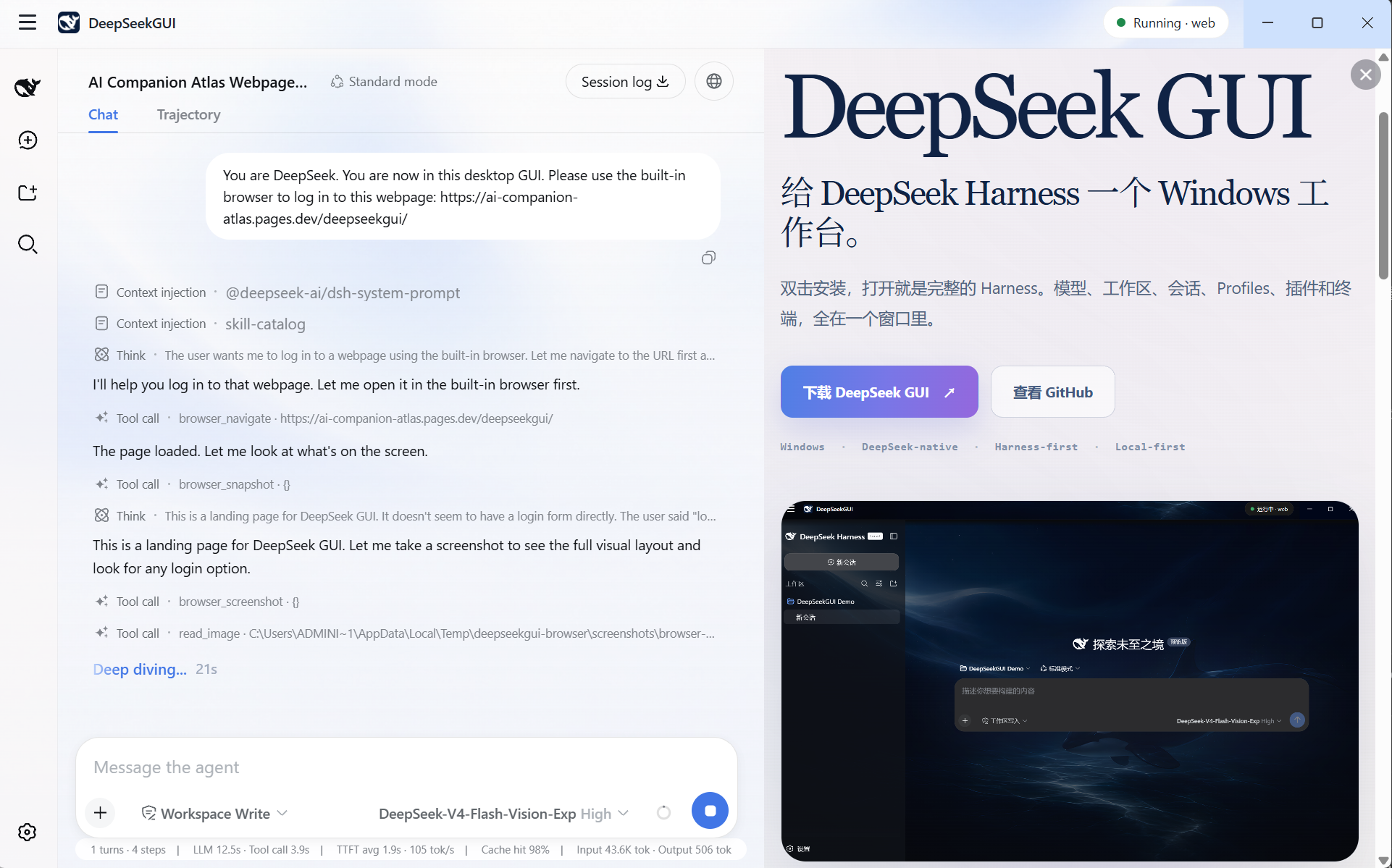
The agent can browse the web in a visible Edge window. You see every page it visits.
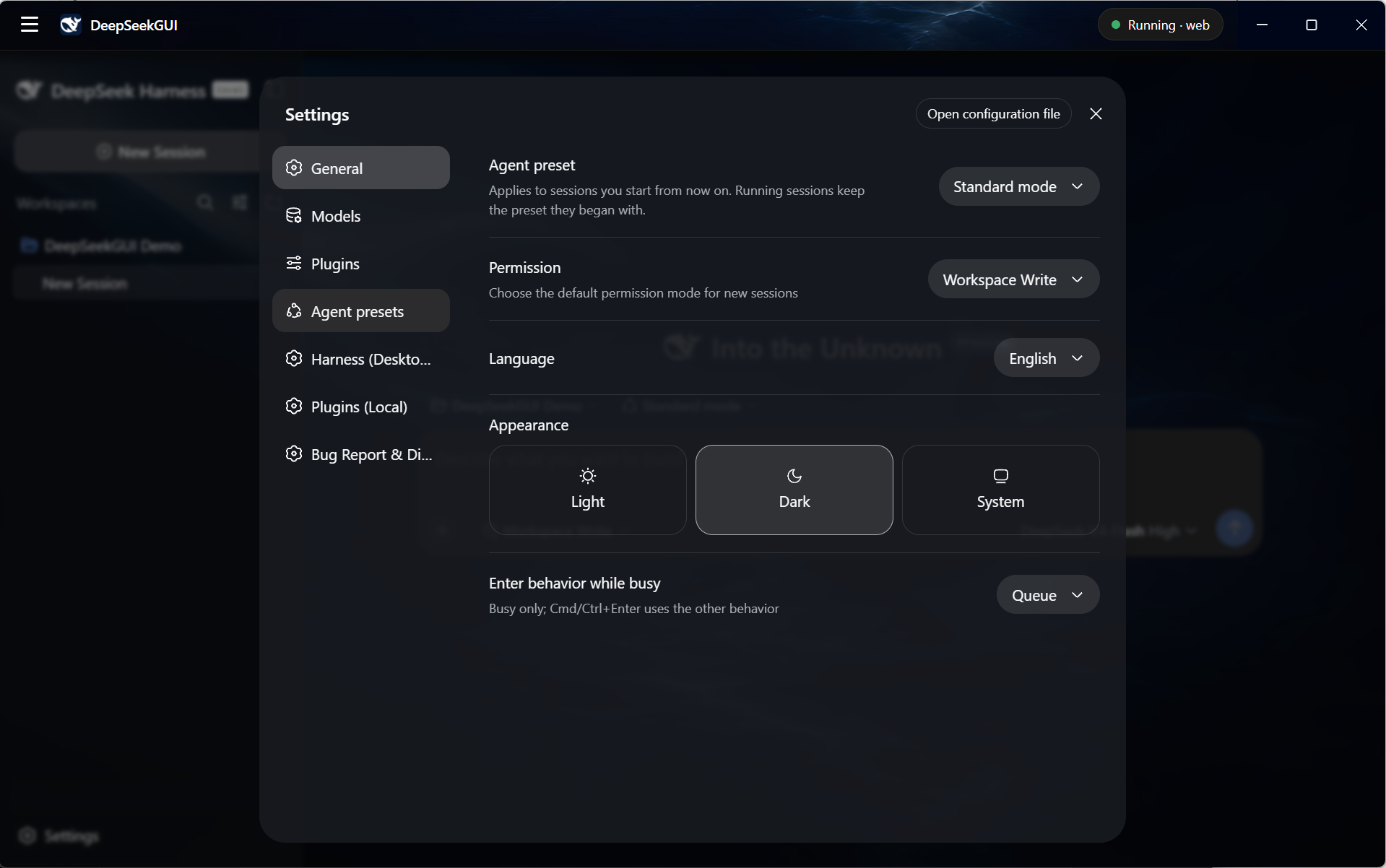
Configure models, manage plugins, and switch between Harness profiles from one place.
What's in V1.0
- Windows installer — one-click setup, installs per-user. Also available as a portable build.
- DeepSeek + custom models — connect any OpenAI-compatible provider alongside DeepSeek.
- Text and image input — attach screenshots to vision-capable models.
- Workspace sessions — pick a folder, start coding, come back later.
- Built-in browser — the agent browses with visible Edge, right where you can watch.
- Plugin support — install and manage Harness-compatible plugins from the app.
- Sandbox by default — every tool call needs your approval unless you opt into full access.
- Built-in terminal — run Harness CLI commands in its own isolated environment.
- Bilingual — full Chinese and English interface.
- System tray — minimize to tray, check for updates.
V1.0 targets Windows x64. SmartScreen will warn until code signing ships. macOS, Linux, and accounts come later.
Roadmap
| Version | Status | What changes |
|---|---|---|
| v1.0 | Released | Desktop wrapper around the official Harness Web UI, with installer, system tray, built-in browser and terminal. |
| v2.0 | In development | Fully independent workbench — custom UI built from scratch for desktop, replacing the upstream Web UI entirely. |
Documentation
| Guide | |
|---|---|
| Quick start | First session walkthrough |
| Models and vision | API keys, model setup, image input |
| Workspaces and sessions | Working with folders and sessions |
| Profiles and plugins | Harness profiles and plugin management |
| Permissions | Sandbox, approvals, and access levels |
| Desktop tools | Browser, terminal, updates, diagnostics |
| Data and troubleshooting | Data locations, privacy, common issues |
The docs also include upstream Harness tutorials and plugin-authoring reference.
Data and privacy
All your data stays local in %APPDATA%\DeepSeekGUI\dsh — credentials, settings, sessions, everything. The only network traffic goes to your configured model provider.
Logs automatically redact anything that looks like a credential. Diagnostics stay local. When you uninstall, the app asks whether to keep or remove your data.
Build from source
Run DeepSeekGUI from source
Requires the Node.js version declared by the repository and pnpm:
shgit clone https://github.com/See-Sol-Lab/DeepSeekGUI.git
cd DeepSeekGUI
pnpm install
pnpm run build
pnpm run dev:desktop
Build the Windows distribution:
shpnpm run build:desktop-dist
See DeepSeekGUI Desktop for packaging details.
Run Harness from npm
Install Node.js, then start the upstream Web UI:
shnpx @deepseek-ai/dsh web
Opens http://127.0.0.1:3080 in your browser.
Run Harness from source
The public tree contains the upstream Harness source used by the desktop build:
shpnpm install
pnpm run build
pnpm dsh web
Contributing and support
- Report bugs and feedback through DeepSeekGUI Issues.
- Read CONTRIBUTING.md before sending a pull request.
- For upstream Harness questions, use DeepSeek Harness Discussions.
License
Two scopes:
- Upstream Harness code stays under DeepSeek's MIT License.
- DeepSeekGUI original work is source-available under the PolyForm Perimeter License 1.0.1. Personal, educational, research, hobby, and internal business use are fine. Building a competing product requires a separate license from See-Sol-Lab.
The root LICENSE explains how the scopes apply. Read DeepSeekGUI licensing and third-party notices before redistributing.
DeepSeekGUI is the public release repository. Day-to-day development happens in a private repo; releases publish the product tree.