BioDSHDeepSeek Harness plugin
The bioinformatics agent desktop for clinicians and wet-lab scientists — built on DeepSeek Harness. One-click installers, a skill store, offline mode.
- Stars
- 14
- Forks
- 0
- License
- MIT
- Last commit
- Sep 2, 2026
- Latest release
- desktop-tauri-v0.2.3
Overview
The bioinformatics agent desktop for clinicians and wet-lab scientists — built on DeepSeek Harness. One-click installers, a skill store, offline mode.
Original README
Cached from the project repository on Sep 3, 2026. This is source content, separate from the Agents.md review above.

The bioinformatics agent desktop for clinicians and wet‑lab scientists — built on DeepSeek Harness.
Everything is a plugin. Every analysis is a sentence.
中文说明 · Website · Download · DeepSeek Harness
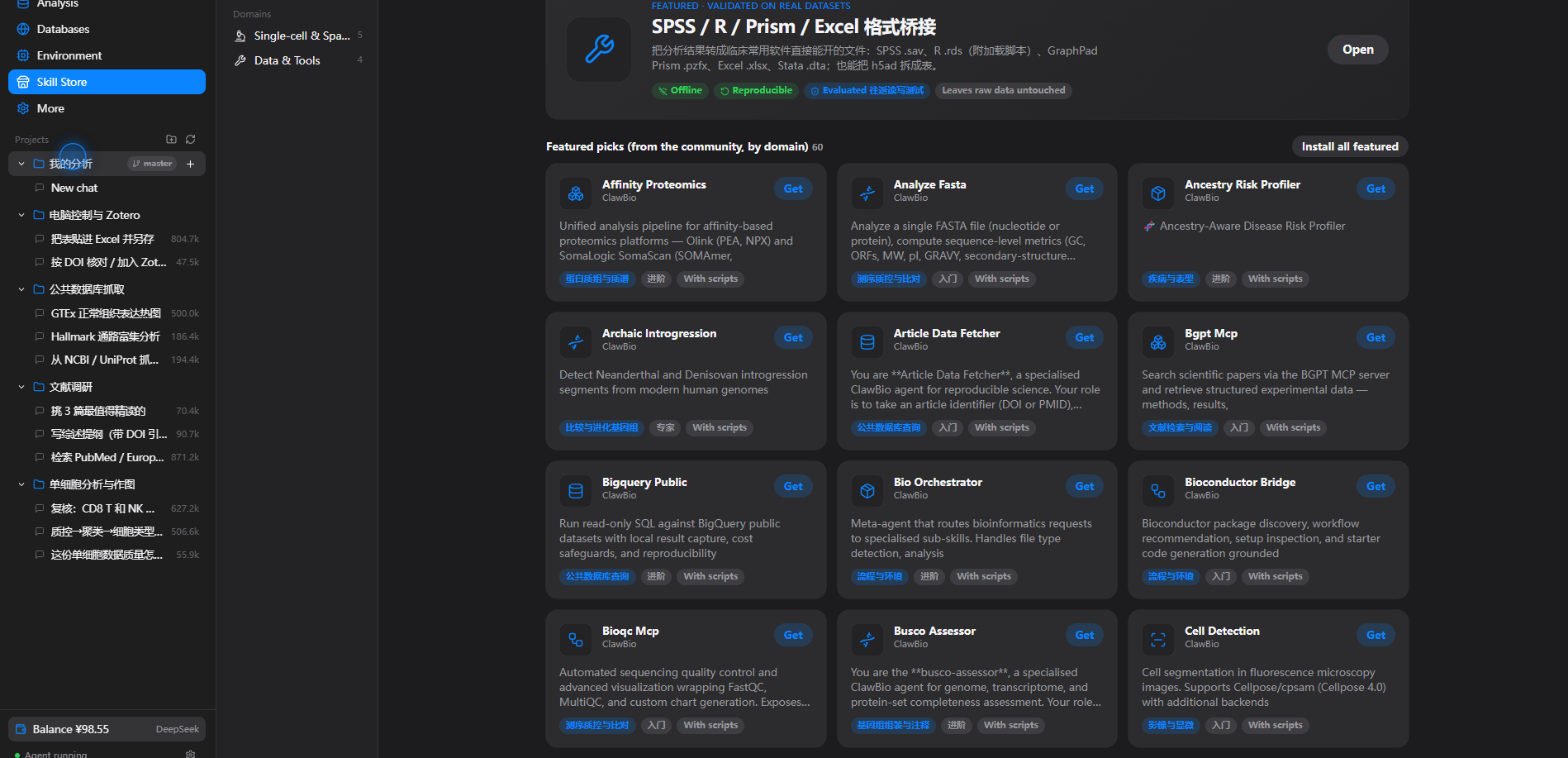
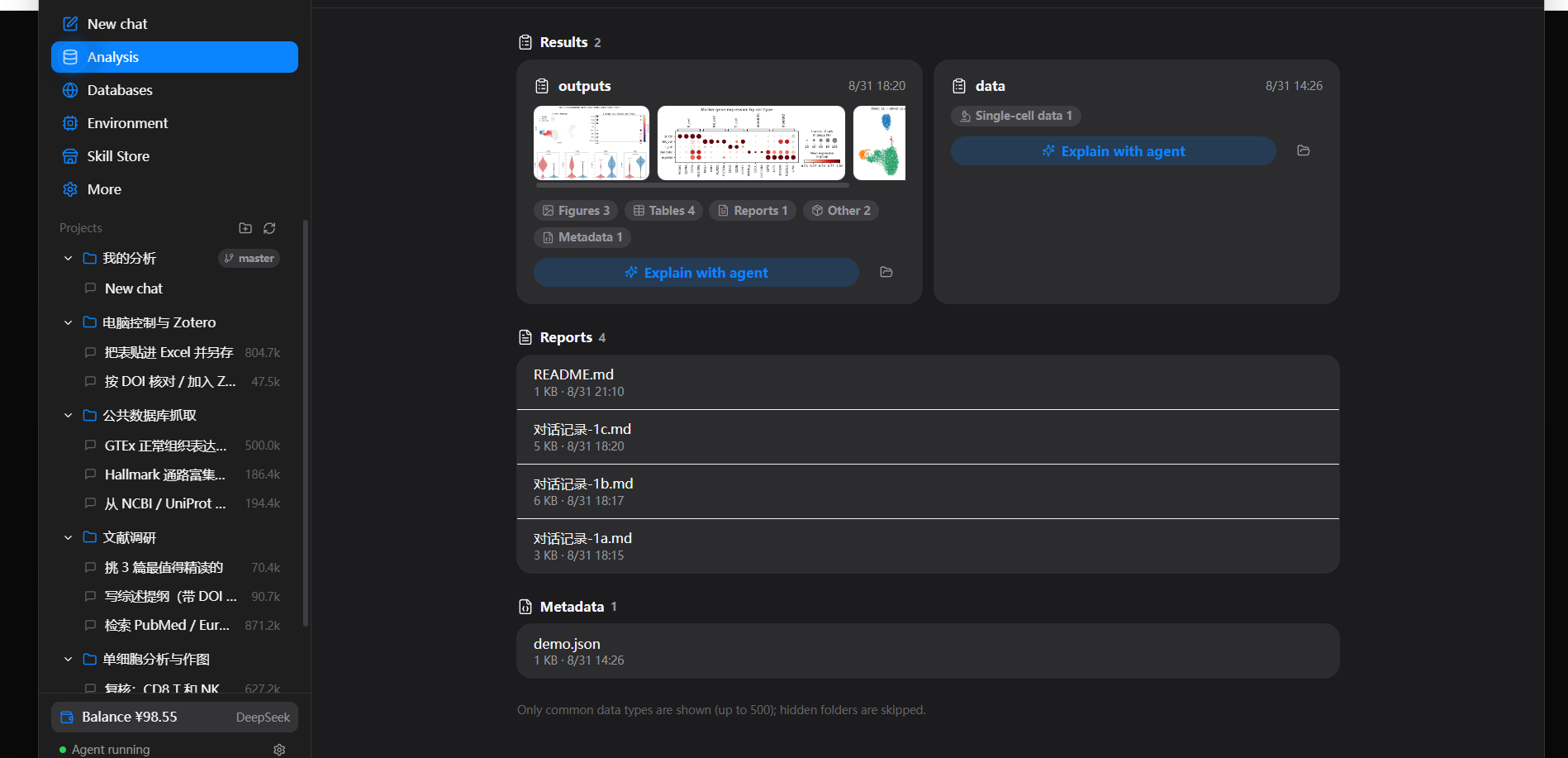
BioDSH is a one‑click desktop app that puts a bioinformatics agent in front of people who don't use a terminal. Drop in your data, say what you want in plain language, and read the conclusion. It runs locally, never modifies your original files, and can run fully offline inside a hospital or lab intranet.
It is a thin, friendly shell around DeepSeek Harness (dsh): the agent runtime, the plugin system, and the reproducible session log are all dsh. BioDSH adds a clinician‑facing UI, a bioinformatics skill store, a bundled Python analysis environment, and a set of evaluated official skills.
Download
Grab an installer from the latest release:
| Platform | File | Notes |
|---|---|---|
| Windows 10/11 | BioDSH_*_x64-setup.exe | Double‑click to install. On first run click More info → Run anyway. |
| macOS 12+ (Apple silicon) | BioDSH_*_aarch64.dmg | Unsigned — see the macOS note below. |
| Linux | BioDSH_*_amd64.deb | Debian/Ubuntu. |
macOS: BioDSH isn't signed with an Apple Developer certificate, so macOS may say the app is “damaged and can’t be opened.” It isn’t — that’s Gatekeeper blocking unsigned apps. Drag BioDSH to Applications, then in Terminal run:
bashsudo xattr -cr /Applications/BioDSH.appEnter your login password (it stays hidden) and open BioDSH again. You only need to do this once per install.
The app checks for new releases in the background and offers a one‑click download → verify signature → install → restart. Nothing is sent anywhere; the update feed is just this repo's latest.json.
What it does
- Everything is a plugin. The best open‑source bioinformatics skills — 2,000+ community skills organised into 10 domains — plus a handful of evaluated, offline, reproducible official skills. Install one with a click.
- Every analysis is traceable. Everything the model sees goes into an append‑only session log. In the chat, intermediate steps fold into a single line and expand on demand; conversations export for an advisor or reviewer.
- Four real example projects ship with the app: single‑cell analysis & plots, literature review, public‑database retrieval, and desktop control with Zotero.
- No coding. A one‑click Python environment (scanpy, anndata, pandas, matplotlib) is bundled; skills that need it install it once.
- Desktop control. The agent can drive other apps (Excel, Prism, SPSS…) with real mouse and keyboard, with a clear "BioDSH is controlling the computer" banner on screen.
- Data safety & offline. Original files are never modified; each analysis writes into a new subfolder. Fully‑offline mode talks to a local or intranet model and makes no outbound requests.
How it works
┌────────────────────────────────────────────┐
│  BioDSH (Tauri desktop shell)               │
│  • clinician‑facing UI (React)              │
│  • skill store · data view · environment    │
│  • bundled Python + official skills         │
│  ┌──────────────────────────────────────┐  │
│  │  DeepSeek Harness (dsh)               │  │
│  │  agent runtime · plugins · session log │  │
│  └──────────────────────────────────────┘  │
└────────────────────────────────────────────┘
A "skill" is a dsh plugin: a folder with a SKILL.md (instructions the agent follows) and optional scripts. The official skills live in biodsh-core/skills/; the desktop app is in desktop/.
Use with vanilla DeepSeek Harness
BioDSH's official skills are ordinary dsh-native SKILL.md skills, so plain dsh picks them up automatically — no BioDSH app required. dsh scans a few skill folders; the simplest is a per-project .agents/skills/:
bashgit clone https://github.com/sagirimo/BioDSH
cd BioDSH
# copy the skills into your dsh project (or run it from inside that project for ./.agents/skills)
./scripts/install-into-dsh.sh /path/to/your/dsh-project/.agents/skills
#   --global  installs into ~/.agents/skills instead
On Windows use scripts/install-into-dsh.ps1. Start dsh from that workspace and the BioDSH skills are available. (The scRNA / plotting skills expect a Python env with scanpy, anndata, pandas and matplotlib on PATH.)
Build from source
Prerequisites: Node.js 22+, Rust (stable), and the platform Tauri prerequisites (on Linux: libwebkit2gtk-4.1-dev libappindicator3-dev librsvg2-dev patchelf).
bashcd desktop
npm ci                        # install dependencies
node scripts/stage-dsh.mjs    # stage the dsh runtime
node scripts/sync-skills.mjs  # official skills → resources + store catalog
npm run tauri dev             # run the app
# or a full installer build:
npm run tauri build
The release recipe is at docs/release.workflow.yml — copy it to .github/workflows/release.yml, then push a tag such as desktop-tauri-v0.2.1 to build installers for all platforms and publish a release with latest.json. Auto‑update signing needs two repository secrets, documented at the top of that file.
Repository layout
| Path | What |
|---|---|
desktop/ | The Tauri desktop app — React UI (src/), Rust backend (src-tauri/), build scripts (scripts/), store catalog (store/). |
biodsh-core/skills/ | The evaluated official skills shipped with the app. |
desktop/resources/ | Bundled resources: the analysis‑environment spec, example‑project sessions, helper scripts. |
License
MIT for BioDSH's own code. Bundled and downloaded components — DeepSeek Harness, community skills, the Python toolchain and packages — keep their own licenses.
Acknowledgements
Built on DeepSeek Harness. BioDSH is an independent project and is not affiliated with or endorsed by DeepSeek.